Canva AI Logo Generator Review (2026): Free, Fast, and Better Than Paying $30

Hi folks
Let me be straight with you.
AI logo generators are everywhere right now. Everyone promises professional logos in minutes, but once you actually start using these tools, reality hits fast.
I’m Ilyas. I build products, side projects, and client apps. I often need logos quickly. Not luxury branding. Just clean, professional logos that work and don’t slow the project down.
Instead of trusting random blog lists, I tested more than 20 AI logo tools myself. Some were okay. Many were disappointing. A few felt like a complete waste of time.
After all that testing, the tool I still use today is the Canva AI logo generator. In this article, I’ll explain why it works so well for real projects, and why other popular tools, including Fiverr’s AI logo maker, didn’t work for me.
What I Look For in an AI Logo Generator
Before comparing tools, here’s how I judged them. I wasn’t looking for marketing promises. I was looking for results I could actually use.
Here’s what matters to me:
- Clean and balanced logo design
- Good typography choices
- Fast and flexible customization
- No hidden paywalls after generating designs
- Logos that work on websites, apps, and social media
With these points in mind, I tested each tool the same way.
Why Most AI Logo Generators Don’t Hold Up
Most AI logo tools fail for the same reasons.
They generate logos that feel generic, overdesigned, or visually confusing. Icons don’t match the brand. Fonts feel random. Spacing is inconsistent.
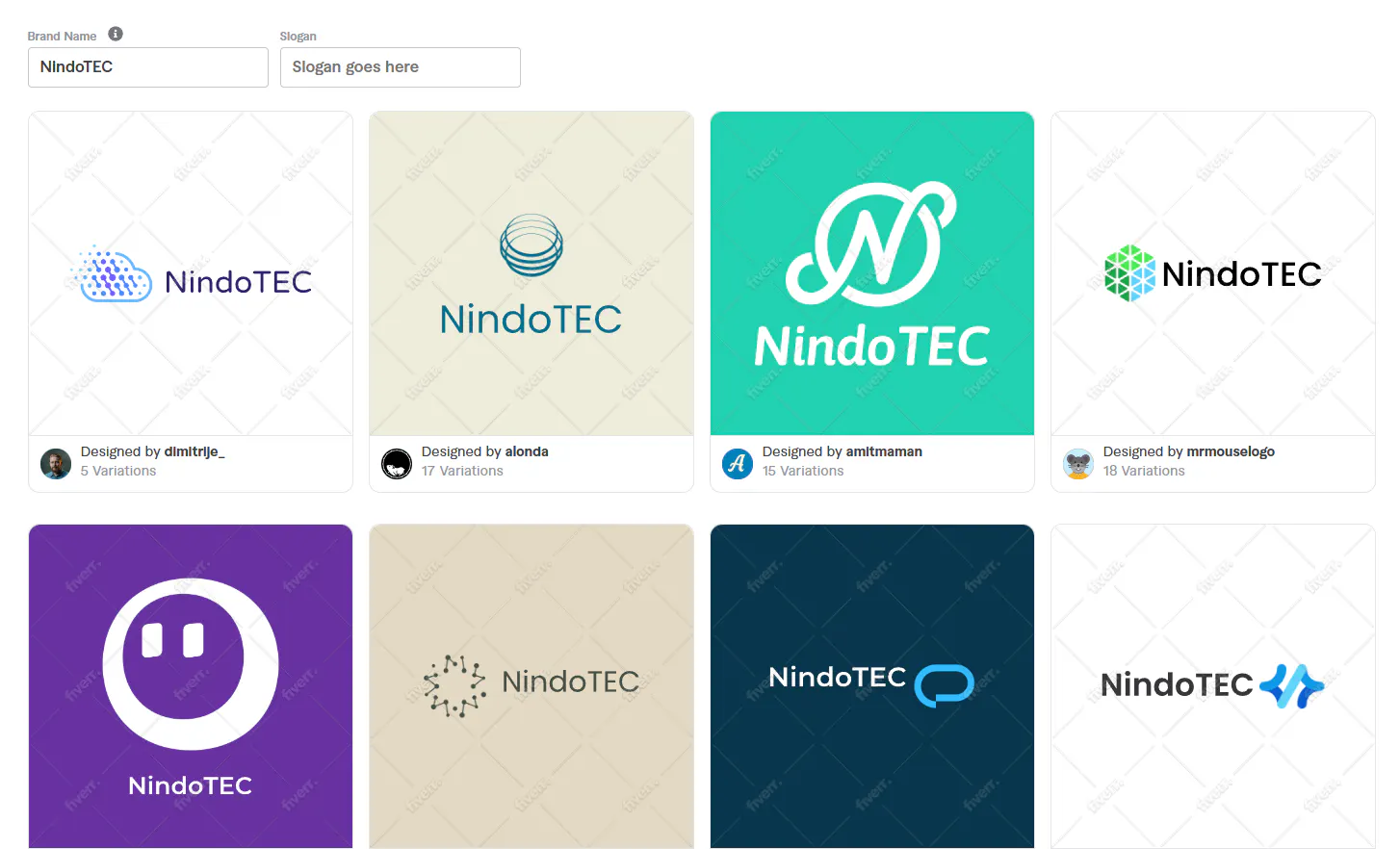
One popular example is Fiverr’s AI logo tool. While Fiverr is great for hiring designers, their AI logo maker felt very limited in practice. The results often looked templated, customization was restricted, and many usable designs were locked behind pricing before I could fully test them.
You can try it yourself here: https://www.fiverr.com/logo-maker
It’s not unusable, but it didn’t feel reliable enough for repeated use.
That’s where the Canva AI logo generator started to stand out.
Why Canva AI Logo Generator Works Better
The biggest difference is simple. Canva is not just an AI logo tool. It’s a full design platform.
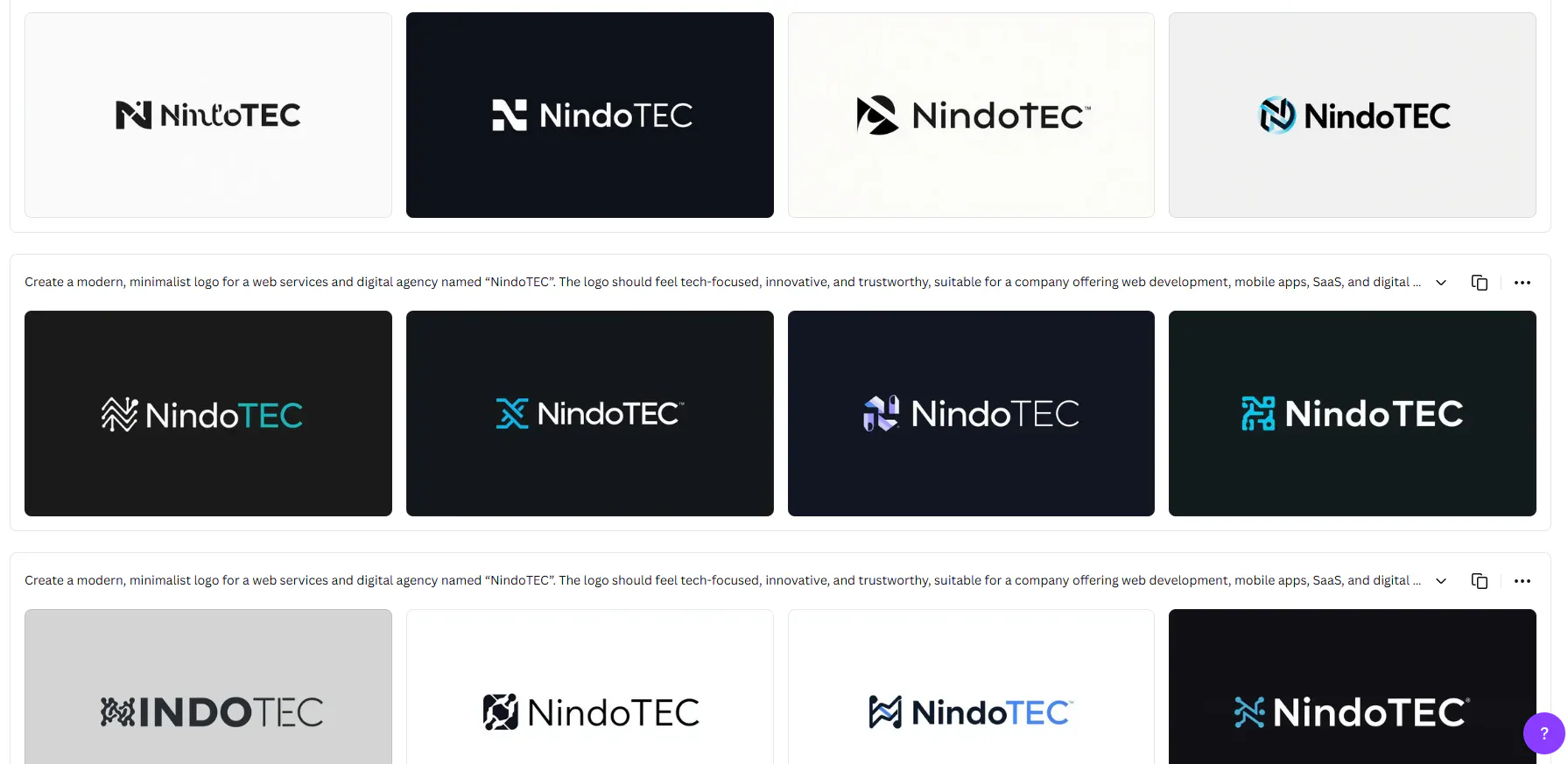
Instead of throwing random logo ideas at you, the Canva AI logo generator gives you structured designs that already follow basic design rules. Typography feels intentional. Spacing is consistent. Colors work together.
More importantly, you’re never locked in. Every element can be edited easily.
Compared to Fiverr’s AI logo maker, Canva gives far more control. I don’t feel like I’m fighting the tool. I feel like I’m shaping the result.
How I Use Canva AI Logo Generator in Practice
This is my usual workflow, and yes, it involves a bit of AI talking to AI.
First, I go to the Canva AI logo generator. Before typing anything there, I usually open ChatGPT or another LLM and ask it to help me generate a short, clear prompt for the logo. Kind of funny when you think about it we use AI to talk to another AI.
I take that prompt, paste it into Canva, and add the brand name. Sometimes I include a short description, sometimes I keep it very simple. Canva already gives strong starting points without overthinking things.
Next, I choose a general style. For tech or SaaS projects, I usually keep everything minimal and clean.
Once the designs are generated, I don’t treat them as final. I see them as a solid base.
From there, I customize fonts, spacing, icons, and colors. This part is fast and intuitive, which is something I really missed when using Fiverr’s AI logo tool.
Real Use Cases Where Canva Makes Sense
I’ve used the Canva AI logo generator for:
- Side projects
- MVPs
- Early-stage startups
- Internal tools
- Client demos
In these situations, speed matters more than perfection. Canva lets me move forward without blocking the project.
With Fiverr’s AI logo maker, I often felt stuck between limited results and paid plans. Canva removes that friction.
Pricing and Value
Canva is very transparent when it comes to pricing, and this is one of the reasons I keep using it.
You can generate logo concepts for free. When you want premium assets or high-quality exports, Canva Pro usually costs around $4 per month (depending on your region and plan). For what you get, that’s very reasonable.
What matters to me is that I’m not paying just for a logo generator. I’m paying for a full design ecosystem that I can reuse for presentations, social media, websites, and apps.
Now, if we compare that to Fiverr’s AI logo maker, the difference is noticeable. Fiverr’s logo tool usually starts around $30 at the minimum plan, and you’re paying mainly for a single logo output.
That price difference is a big reason why the Canva AI logo generator delivers better long-term value for developers, founders, and creators who need more than just one logo.
Canva vs Fiverr for AI Logos
If you want a fully custom brand with deep strategy, hiring a designer on Fiverr still makes sense.
But if you’re a developer, founder, or creator who needs a clean logo quickly, the Canva AI logo generator is simply more practical.
After testing many tools, it’s the one I trust when I need usable results without friction.
Final Thoughts
AI logo tools are not magic. Most of them promise more than they deliver.
But the Canva AI logo generator works because it gives you control, flexibility, and consistent design quality.
I tested many alternatives, including Fiverr’s AI logo tool, and Canva is the one I keep coming back to.
Hope this helps you avoid wasting time on tools that don’t deliver.
Get CodeTips in your inbox
Free subscription for coding tutorials, best practices, and updates.
More from CodeTips

I Tested 4 AI Coding Tools Head-to-Head: Here's the Honest Winner
Most AI coding comparisons test "Hello World" apps and call it a day. I ran every major tool through the same three-stage gauntlet: a simple build, a complex full-stack application, and multiple rounds of revisions. The best AI for code should hold up under all three. Most do not.
Claude Design AI Tool Review: What It Can and Can’t Do
Claude Design is Anthropic's new AI tool that turns Figma files into interactive prototypes and production-ready UIs no design software needed.