
10 Flutter Best Practices Every Developer Should Follow in 2026

Hi folks
If you’re reading this, chances are you’re already working with Flutter or planning to use it seriously. Flutter is great. You move fast, UI looks good, and shipping features feels smooth. At least at the beginning.
I’m Ilyas, and I’ve built multiple Flutter apps for clients, side projects, and long-term products. And I can tell you one thing from experience: most Flutter problems don’t appear in week one. They appear a few months later, when the app grows and the codebase starts fighting you back.
That’s why I want to share Flutter best practices the way I actually use them. No theory, no copy-paste from docs. Just practical things I follow to keep projects clean, scalable, and enjoyable to work on.
Why Flutter Best Practices Matter
Let me be straight with you.
Flutter apps usually don’t fail because Flutter is bad. They fail because the project was rushed early on. Structure wasn’t clear, logic was mixed with UI, and performance was ignored until it became a real problem.
Following Flutter best practices helps you:
- Keep your code readable as the app grows
- Avoid painful refactors later
- Fix bugs faster
- Work better with other developers
- Stay sane when the project hits version 2 or 3
This is what turns Flutter from a quick prototyping tool into a real production framework.
1. Organize the Project by Feature
One of the first Flutter best practices I apply is organizing the project by feature, not by file type.
Most people start with folders like screens, widgets, models, services. It works for small apps, but it becomes confusing very quickly.
What works better in real projects is grouping everything related to one feature in the same place.
Example structure I use:
lib/
 ├─ features/
 │   ├─ auth/
 │   │   ├─ auth_page.dart
 │   │   ├─ auth_controller.dart
 │   │   ├─ auth_service.dart
 │   │   └─ auth_model.dart
 │   ├─ home/
 │   ├─ profile/
 ├─ core/
 │   ├─ theme/
 │   ├─ network/
 │   ├─ config/
 │   └─ utils/
This structure follows Flutter best practices that scale well when the app becomes bigger.
2. Keep Business Logic Out of Widgets
Widgets should focus on one thing only: building UI.
Once you start adding calculations, API calls, or conditions inside widgets, things get messy fast. I’ve made this mistake before, and fixing it later is never fun.
What I do instead is keep logic inside controllers, services, or use cases, and let widgets stay simple.
For example, instead of handling logic directly inside a button, I delegate the action to a controller method. This makes the code easier to test, easier to read, and easier to change later.
This separation is one of the most important Flutter best practices in real projects.
3. Keep Widgets Small
Here’s a simple rule I personally follow:
If a widget file gets too big, I split it.
Large widgets are hard to read and hard to debug. Small widgets are easier to reason about, easier to reuse, and easier to optimize.
This is not about being perfect. It’s about making sure you can open a file and understand what it does in a few seconds.
This approach alone improves code quality a lot when applying Flutter best practices.
4. Use const as Much as Possible
Using const is one of those Flutter best practices that looks small but has a big impact.
If a widget doesn’t depend on runtime data, I make it const. This reduces unnecessary rebuilds and improves performance without any extra effort.
It also forces you to think more clearly about what really changes in your UI and what doesn’t.
5. Centralize Theme and Styles
Hardcoding colors and text styles everywhere is something I avoid completely.
In my projects, colors, text styles, and spacing live in one place. When the design changes, I update it once and the whole app follows.
Using ThemeData and a proper ColorScheme keeps the UI consistent and saves a lot of time later. This is one of those Flutter best practices that pays off long-term.
6. Be Serious About State Management
State management is where many Flutter apps start to struggle.
I don’t rely on setState everywhere. For small UI interactions it’s fine, but for real app state, I use proper state management solutions like Riverpod, Bloc, or Provider depending on the project.
The goal is simple: state should be predictable, testable, and easy to follow.
This is a key part of Flutter best practices when building production apps.
7. Avoid Unnecessary Rebuilds
Performance issues often come from rebuilding more UI than needed.
I pay attention to what actually needs to change and isolate it. Using const widgets, builders, and proper state separation helps a lot here.
Optimizing rebuilds is not about premature optimization. It’s about not doing extra work for no reason.
8. Centralize API and Network Logic
I never call APIs directly from widgets.
All network logic lives in a dedicated layer. This makes error handling cleaner, logging easier, and testing possible without touching the UI.
When you follow this approach, Flutter best practices naturally push your app toward a cleaner architecture.
9. Use Environment Configurations
For any serious app, I separate development, staging, and production environments.
Different API URLs, different keys, different configs. This avoids accidents and makes releases safer.
It’s a small setup step that fits perfectly into professional Flutter best practices.
10. Think in Layers for Bigger Apps
When an app gets big, I stop thinking in screens and start thinking in layers.
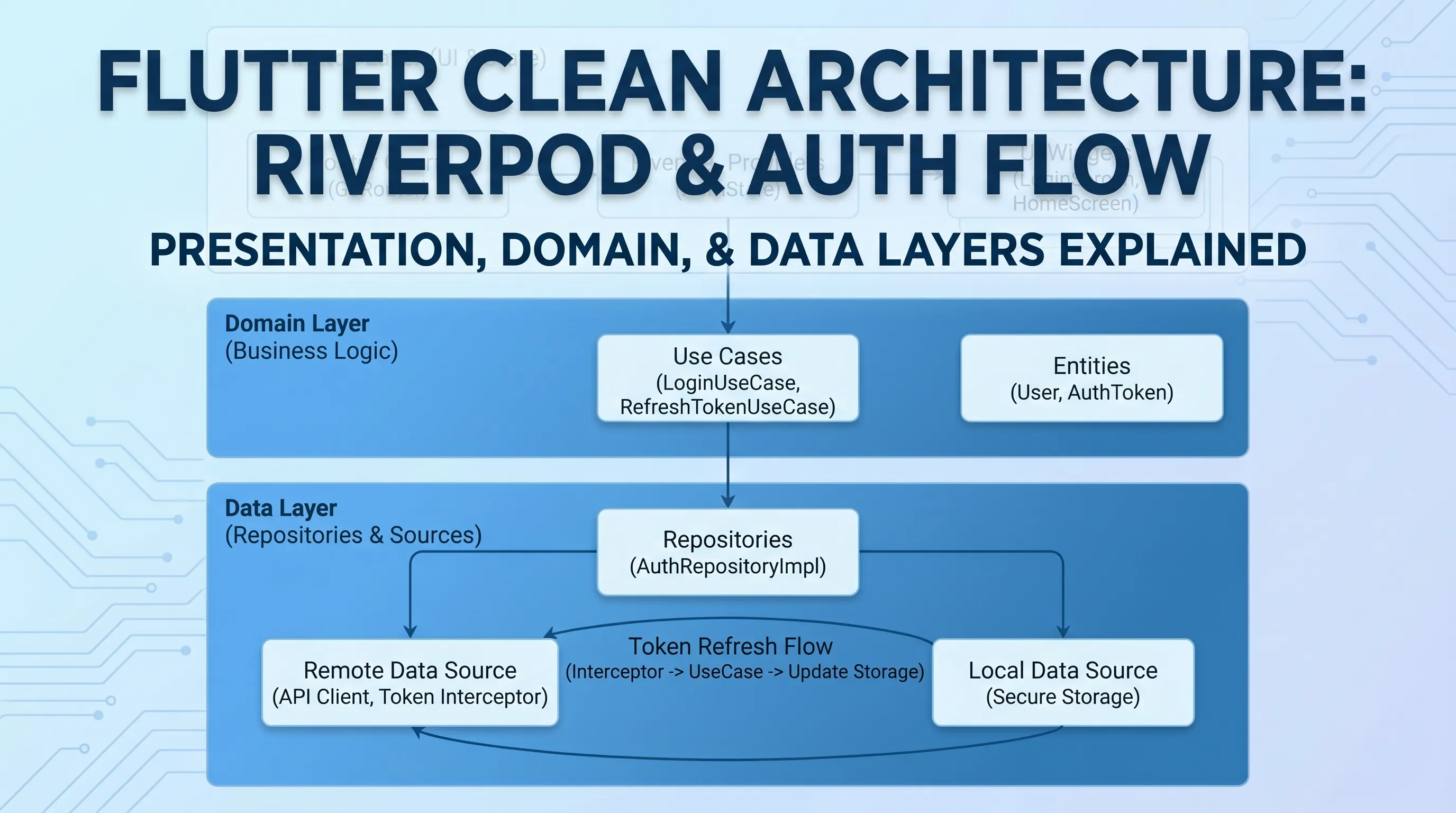
Presentation handles UI. Domain handles business logic. Data handles APIs and storage.
You don’t need to over-engineer from day one, but understanding this structure early helps a lot when scaling.
Final Thoughts
These Flutter best practices are not rules written in stone. They’re habits I built after dealing with real projects, real bugs, and real deadlines.
If you apply even a few of them, your Flutter apps will be easier to maintain, easier to scale, and more enjoyable to work on.
That’s the kind of content I want to keep sharing on Codetips.dev. Practical, honest, and based on real experience.
Get CodeTips in your inbox
Free subscription for coding tutorials, best practices, and updates.
More from CodeTips

The Flutter Roadmap That Actually Gets You to Developer-Ready
Most developers who try to learn Flutter get stuck not because Flutter is hard, but because they pick it up in the wrong order. A clear flutter roadmap fixes that problem before it starts.
Building a Bulletproof Auth System with Flutter, Riverpod, GoRouter, and Clean Architecture
Authentication is one of those features that looks simple on the surface but hides a dozen subtle bugs waiting to bite you in production. In this post, I'll walk through the auth system I built for Bookify Pro a professional Flutter SaaS app