
Most developers who try to learn Flutter get stuck not because Flutter is hard, but because they pick it up in the wrong order. A clear flutter roadmap fixes that problem before it starts.
Setting Up Before You Write a Single Line
The setup phase is where a lot of beginners waste hours. Do it right the first time.
Install Flutter from flutter.dev and pick an editor. Both VS Code and Android Studio work well. VS Code is lighter and faster on most machines; Android Studio gives you a more integrated Android emulator experience out of the box. Either way, the critical step people skip is installing the Flutter and Dart plugins inside their editor's plugin section. Without those, you get no autocomplete, no error highlighting, nothing useful.
Run flutter doctor in your terminal after setup. Fix every warning it surfaces before moving on. A broken environment is a confidence killer.
Dart First, Flutter Second
This is where most "how to learn Flutter from scratch" tutorials go wrong: they jump straight into widgets before the language makes sense.
Dart is the language Flutter runs on. Spend real time with it at dart.dev/language before you touch a widget. The things that will matter most are:
- Variables, data types, and type inference
- Control flow (if/else, loops, switch)
- Object-oriented programming: classes, inheritance, mixins
- Null safety, which Dart handles strictly
Null safety trips up almost every new Flutter developer. Dart's ? and ! syntax is not just syntax sugar. It forces you to think about whether a value can be absent, and that discipline pays off when your app handles real API responses. Object-oriented programming knowledge transfers directly: every widget you build is a class, and understanding how class constructors work makes reading other people's Flutter code much easier.
The Flutter Roadmap: Widgets, Layouts, and Your First Real Apps
Once Dart feels comfortable, you are ready for the Flutter roadmap proper.
Start with stateless vs stateful widgets. A stateless widget renders once and does not change. A stateful widget holds mutable data and rebuilds when that data changes. Early on, you will use StatefulWidget for almost everything. That is fine. Understanding when you actually need state, versus when you are creating unnecessary complexity, is a skill that comes with practice.
The core widgets to drill first:
// A simple stateless widget
class GreetingCard extends StatelessWidget {
  final String name;
  const GreetingCard({super.key, required this.name});

  @override
  Widget build(BuildContext context) {
    return Scaffold(
      body: Center(
        child: Text('Hello, $name!'),
      ),
    );
  }
}
Layouts are where most beginners get frustrated. Column, Row, Stack, Expanded, Flexible, these are not just building blocks, they are the entire spatial grammar of Flutter. Spend time with MediaQuery and LayoutBuilder to understand how your app can adapt to different screen sizes. Cross-platform development is one of Flutter's biggest selling points, but a layout that breaks on tablets or desktop undermines it immediately.
For practice, do not just follow tutorials. Pick a design from dribbble.com, search for mobile UI, and try to rebuild it. A login screen, a food delivery card, an e-commerce product page. The gap between "I understand Row and Column" and "I can actually build a layout from a design file" closes fast when you do this.
👉 Also read: Flutter Best Practices Every Developer Should Follow
Networking, Packages, and Backend Integration
Static apps are demos. Real apps fetch data.
Use the http or dio packages to make API calls. dio is worth the minor extra setup because it handles interceptors cleanly, which you will want for auth tokens later. JSON serialization uses jsonEncode and jsonDecode from dart:convert. For larger projects, generating model classes with json_serializable saves a lot of manual work.
The pub.dev package ecosystem is one of Flutter's genuine strengths. Some packages you will reach for repeatedly: google_maps_flutter, image_picker, share_plus, and animations. Check the pub score and the "last published" date before adding any package to a production project. A package with 40 open issues and no commits in 18 months is a liability.
For backend integration, Firebase is the fastest path. Firebase Auth, Firestore, and Storage cover what most apps need to get to an initial release. If you need more control or want to avoid vendor lock-in, Supabase is a strong alternative that runs on Postgres and has a solid Flutter SDK.
👉 Also read: Building a Bulletproof Auth System with Flutter, Riverpod, GoRouter, and Clean Architecture
State Management and Project Architecture
This is the part that separates apps that scale from apps that turn into a debugging nightmare at 5,000 lines of code.
When you are starting out, setState is fine. It is built into Flutter, it is easy to reason about, and it is the right tool when a widget's state is genuinely local. The problems start when state needs to be shared across multiple widgets, or when your UI logic and business logic start blending together inside the same widget class.
The best Flutter state management for large apps depends on your team and your app's complexity. Riverpod is currently the most popular choice for new projects. It is compile-safe, testable, and the provider/notifier model stays clean even in large codebases. BLoC is a more structured pattern that enforces separation between events, states, and UI, which some teams prefer for its predictability. Provider and GetX exist too, but I have seen GetX in particular lead teams toward patterns that become hard to maintain.
The broader goal here is Flutter project architecture. Once state management is in place, your widgets should be mostly stateless, rendering what the state management layer tells them to render. The business logic lives in notifiers or blocs, not in widget files. Common structural approaches are feature-first folder organization and clean architecture layers (data, domain, presentation). Neither is universally correct. Pick the one that matches your team's size and the app's complexity, then apply it consistently.
Design patterns matter here too. Repository patterns for data access, dependency injection for testability, and separation of UI from business logic are not theoretical concepts. They are the difference between a codebase you can hand off and one that only you can maintain.
Responsive Design, Animations, and Git
Three topics that often get skipped until they bite you in production.
For responsive app design, MediaQuery.of(context).size gives you the device dimensions. LayoutBuilder lets you rebuild parts of the UI based on the available width. For anything more complex, packages like flutter_screenutil or responsive_framework handle breakpoints without you having to manually write every conditional.
Animations in Flutter range from trivial to elaborate. The Hero widget is the easiest win: add a matching heroTag on two widgets in two different routes, and Flutter animates the transition automatically. For more custom work, AnimatedWidget and AnimationController give you full control. The official docs at flutter.dev have good worked examples.
For Git, the basics are: git init, git add, git commit, git push origin <branch>, and pull requests. If you are working alone, branches feel like overhead. The moment you work with one other person, you will understand why they exist.
Deploying Your App and Setting Up CI/CD
Publishing a Flutter app to the Play Store requires a few steps that are easy to get wrong the first time. You need to generate a signed APK (or AAB for Google Play), create a developer account, and follow Google's submission guidelines. The signing step is the one most tutorials skip over, and it is also the step that blocks the most beginners when it is time to actually ship.
For how to publish a Flutter app to Play Store specifically: generate your keystore with keytool, reference it in your key.properties file, update your build.gradle, then run flutter build appbundle --release. Upload the .aab to the Play Console and fill in the store listing details.
GitHub Actions handles CI/CD well for Flutter projects. A .github/workflows/main.yml file can run your tests, build the release artifact, and push it to a distribution channel on every merge to main. Combine that with Fastlane for the actual deployment lanes and you have a pipeline where a code review approval triggers a store submission automatically. Setting that up takes a few hours the first time and saves days over the life of a project.
Frequently Asked Questions
Is there a flutter roadmap for beginners step by step that I can follow?
Yes, and the order genuinely matters: environment setup, Dart basics, core widgets and layouts, networking and packages, state management, architecture, and finally deployment and CI/CD. Skipping Dart to jump into widgets is the single most common mistake. You will hit a wall in about two weeks and have to go back anyway.
What is the flutter roadmap on GitHub explained in simple terms?
There are a few community-maintained GitHub repositories (search "flutter roadmap" on GitHub) that visualize the same progression as above in a diagram or checklist format. They are useful as a progress tracker but do not always agree on ordering. Use them as a sanity check, not a strict curriculum.
What is the best Flutter state management for large apps?
Riverpod is where most teams are landing right now for new projects. BLoC is a solid choice if your team wants more enforced structure. Honestly, the "which one" debate matters less than "did you pick one and apply it consistently." A messy BLoC codebase is worse than a clean Riverpod one.
How long does it take to learn Flutter from scratch?
With consistent daily practice (2-3 hours), most people can build and ship a basic real-world app in about 3 months. Becoming genuinely comfortable with state management, architecture, and deployment usually takes another 3-6 months. The people who move fastest are the ones who build actual apps, not just follow tutorials.
Do I need to learn Dart before Flutter?
Yes, but you do not need to master it. A solid week on Dart fundamentals (types, null safety, classes, async/await) is enough to start making sense of Flutter code. You will keep learning Dart through your Flutter work anyway.
Get CodeTips in your inbox
Free subscription for coding tutorials, best practices, and updates.
More from CodeTips
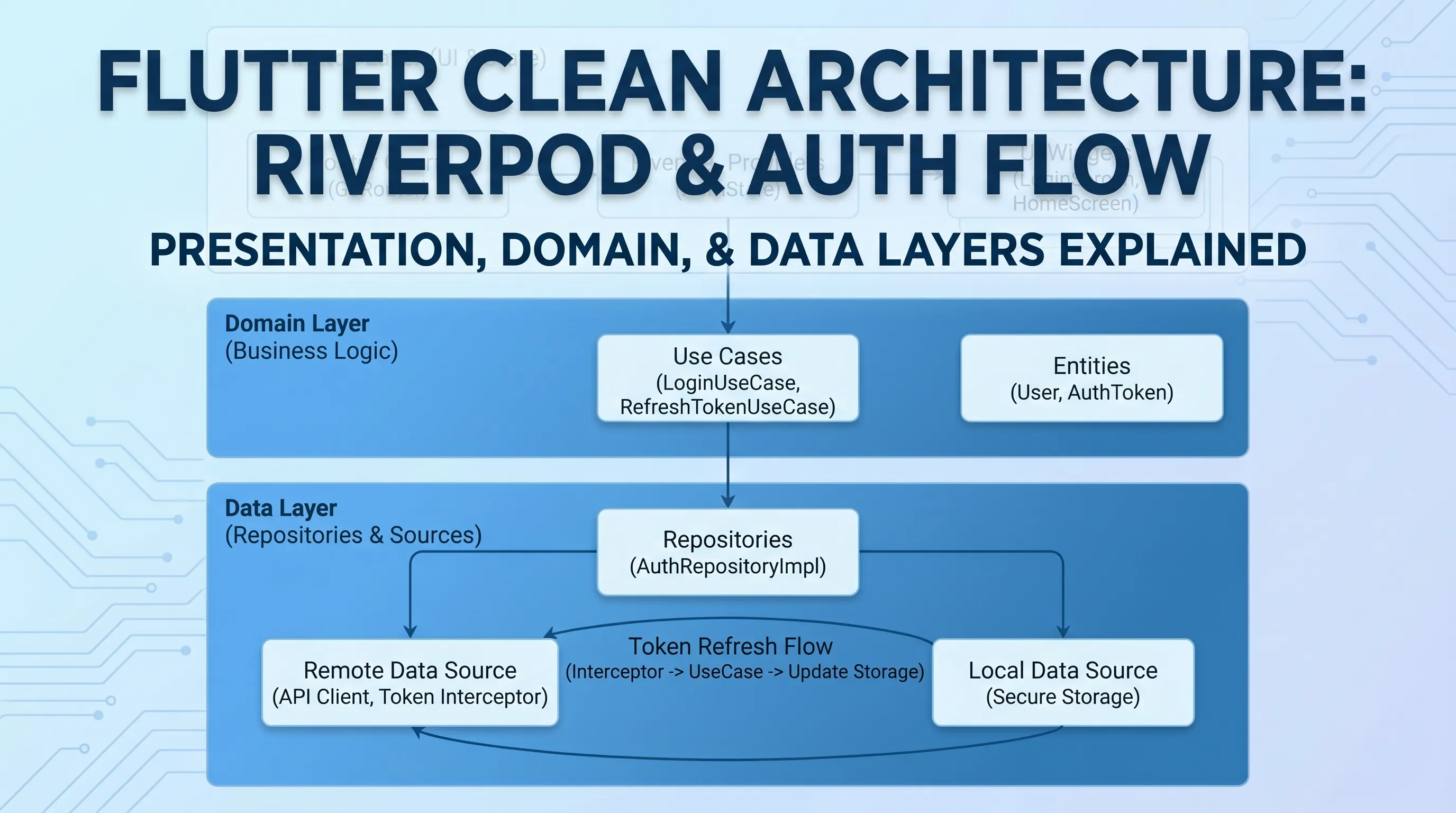
Building a Bulletproof Auth System with Flutter, Riverpod, GoRouter, and Clean Architecture
Authentication is one of those features that looks simple on the surface but hides a dozen subtle bugs waiting to bite you in production. In this post, I'll walk through the auth system I built for Bookify Pro a professional Flutter SaaS app

10 Flutter Best Practices Every Developer Should Follow in 2026
Flutter makes it incredibly easy to build beautiful cross-platform apps, but as projects grow, bad structure and small mistakes can slow you down fast.