The 12 Best CI CD Tools for DevOps Teams (And How to Pick the Right One)

Most teams ship broken software not because they lack talent, but because they lack the right toolchain. The CI CD tools for DevOps covered here are the ones that have earned their place in real production environments, not just conference talks. This is not a random list of software. It is the actual stack that connects your version control system to running containers in production, with security, observability, and configuration management wired in between.
Table of Contents
- How the Pieces Fit Together
- The Best CI CD Tools for DevOps Engineers
- Containers, Orchestration, and What Runs in Production
- Infrastructure Automation Beyond the Pipeline
- Code Quality Gates and Security Scanning
- Monitoring, Observability, and Logs
- How to Choose a CI/CD Tool for Your Team
How the Pieces Fit Together
Before comparing tools, it helps to understand what a CI/CD pipeline workflow actually does. A developer pushes commits to a branch. The pipeline picks that up, runs an automated testing pipeline, checks code quality, builds a container image, and deploys it, sometimes to production, sometimes to staging first. The whole thing can take under five minutes on a well-tuned stack.
Git sits underneath all of it. Every tool on this list ultimately traces back to a Git event: a push, a pull request merge, a tag. That distributed version control system is what makes the rest possible. Every developer carries the full project history locally. There is no single point of failure when someone commits at 11pm with no VPN access.
GitHub is the collaboration layer most teams add on top of Git. The pull request is its most valuable feature: it is where the code review process actually happens, where a reviewer can ask why a function is 200 lines long before that function lands in main. GitHub also integrates with Slack, Jira, and most of the monitoring tools discussed later, which keeps the feedback loop tight.
GitLab CI/CD takes a different angle. Instead of being a code hosting platform that bolts on CI later, GitLab started as a complete DevOps platform where everything lives inside one application. You define your entire workflow in a .gitlab-ci.yml file: build jobs, test jobs, deployment jobs, and security scans. For teams who want self-hosted CI/CD without wiring together a dozen separate services, GitLab is a serious option. Enterprises with strict data residency requirements tend to like it for exactly that reason.
The Best CI CD Tools for DevOps Engineers
There are roughly three generations of CI/CD tooling. Jenkins represents the first. GitHub Actions and GitLab CI/CD represent the second and third, where configuration lives in the repository and pipelines trigger automatically on branches and pull requests.
Jenkins
Jenkins has been running CI/CD pipelines for over a decade. What keeps it relevant is the plugin ecosystem: over 1,500 plugins cover nearly every integration you might need, from Docker to AWS to Slack notifications. You write your pipeline as a Jenkinsfile, commit it to the repo, and Jenkins handles the rest. It can distribute workloads across multiple build agents, which matters when you have hundreds of builds queued.
The honest downside is maintenance overhead. Running Jenkins means running infrastructure. You own the upgrades, the plugin compatibility conflicts, and the agent capacity planning. Large organizations with dedicated platform teams handle this fine. Small teams often find it a poor trade.
GitHub Actions
GitHub Actions turns your existing GitHub repository into a CI/CD engine. Workflows live in .github/workflows/ as YAML files and trigger on any GitHub event: push to a branch, pull request opened, a tag created. Running tests, building Docker images, deploying to AWS, sending a Slack message when a build fails — all of it is defined in that YAML.
The GitHub Marketplace has thousands of pre-built actions. Most of the integrations you need already exist as a community action. This is probably the fastest way to get a working pipeline if your code is already on GitHub.
CircleCI
CircleCI is cloud-native from the start. You define pipelines in a .circleci/config.yml file, and CircleCI spins up parallel jobs across Linux, macOS, or Windows runners without you managing any infrastructure. Its "orbs" system (reusable configuration packages) makes integrations with Docker, AWS, and Slack essentially one-liners. Smart caching cuts rebuild times significantly. For fast-moving teams that do not want to manage build servers, CircleCI is a strong choice.
On the GitHub Actions vs Jenkins vs GitLab CI question that comes up constantly: GitHub Actions wins for teams already on GitHub who want minimal setup. GitLab CI/CD wins for teams who want everything on one platform, including security scanning. Jenkins wins for organizations with complex, highly custom build requirements and the engineering capacity to support it.
👉 Also read: Should You Learn to Code With AI?
Containers, Orchestration, and What Runs in Production
The CI/CD pipeline automation story does not end at "deploy." It ends at "running reliably in production," and that is a container story.
Docker
Docker packages your application and every dependency it needs into a single image. You write a Dockerfile, build an image, push it to Docker Hub or a private registry, and pull it anywhere: your laptop, a staging server, a production cluster. The environment your code runs in is the same everywhere.
This is the piece that killed the "works on my machine" problem for most teams. When your CI pipeline builds a Docker image and runs tests inside it, you know the tests ran in the same environment production will use.
Kubernetes
As the number of containers grows, something has to schedule and manage them. That is Kubernetes. It groups containers into pods, places pods across a cluster of machines, and handles scaling, health checks, and recovery automatically. Server crashes? Kubernetes reschedules the affected pods on healthy nodes. Traffic spikes? It scales up. Need to ship a new version without downtime? It uses a rolling updates strategy, gradually replacing old pods with new ones while keeping requests flowing.
Container orchestration at this level is genuinely complex. Kubernetes has a steep learning curve. For microservices deployment across tens or hundreds of services, though, it is the industry standard. Teams running three services in Docker Compose do not need it. Teams running thirty services with independent scaling requirements almost certainly do.
Infrastructure Automation Beyond the Pipeline
Getting code into containers is one problem. Getting the infrastructure that runs those containers into a consistent, repeatable state is another.
Terraform
Terraform treats infrastructure as code. Instead of clicking through cloud consoles to provision servers, networks, and databases, you write declarative .tf configuration files that describe what you want. Run terraform plan to preview the changes. Run terraform apply to build it. Terraform tracks state, so it knows exactly what exists and what needs to change.
The practical win is version control. Your infrastructure configuration lives in the same repo as your application code, gets reviewed in pull requests, and gets rolled back the same way application code does. HashiCorp, the company behind Terraform, also builds Vault for secrets management, Consul for service discovery, and Packer for building machine images — all complementary pieces for managing modern infrastructure.
Ansible
Ansible handles configuration management at the server level. Where Terraform creates infrastructure, Ansible configures it. You write YAML playbooks that describe the desired state: Nginx installed, config file copied, service running. Ansible connects over SSH and makes the changes needed to match that state. It is idempotent, meaning running the same playbook twice produces the same result without side effects.
Need to install and configure a web server across 100 machines? One playbook, one command, runs in parallel. Ansible has modules for AWS, Docker, cloud databases, and most things you will encounter. It is less elegant than Terraform for pure infrastructure provisioning, but for application-level configuration it fits very naturally.
Code Quality Gates and Security Scanning
Shipping faster is only valuable if you are shipping something that works and does not have obvious security holes. Two tools handle this inside the pipeline.
SonarQube
SonarQube analyzes your codebase for bugs, vulnerabilities, and code smells: duplicated logic, overly complex methods, patterns that tend to cause problems later. It supports over 25 languages, which means you can enforce consistent quality standards across a polyglot codebase.
The way it plugs into pipelines is through code quality gates. You define thresholds: test coverage must be above a certain percentage, critical vulnerabilities must be zero, code duplication must stay below a limit. If a commit fails those gates, the pipeline stops. The code does not reach production. This is DevSecOps integration in a practical form — security and quality are enforced automatically, not as a separate manual review step after the fact.
CI/CD tools with built-in security scanning, like GitLab's SAST features, provide some of this natively. SonarQube gives you more depth and flexibility, especially for teams who care deeply about long-term code health metrics.
Monitoring, Observability, and Logs
Deploying successfully is the starting line. Knowing what happens afterward requires monitoring and observability tooling.
Prometheus
Prometheus is the standard for monitoring containerized applications in cloud-native environments. Rather than waiting for applications to push metrics, Prometheus scrapes them on a schedule. It stores time-series data and provides PromQL, a query language for slicing and aggregating that data. Pair it with Alertmanager to notify your team when a metric crosses a threshold, say, error rate above 1% for more than two minutes.
Prometheus works best with Grafana on top. Grafana connects to Prometheus (and to Elasticsearch, cloud monitoring APIs, and other sources) and builds interactive dashboards showing server health, latency, CPU usage, and error rates in real time. When production is misbehaving at 2am, a well-built Grafana dashboard cuts the time to diagnosis significantly.
ELK Stack
Metrics tell you that something is wrong. Logs tell you why. The ELK Stack (Elasticsearch, Logstash, and Kibana) centralizes logs from your entire infrastructure. Logstash collects and parses logs from various sources. Elasticsearch indexes them so you can search through millions of events in seconds. Kibana provides visualizations and dashboards on top of that data.
For troubleshooting incidents, the ELK Stack is where you go after Grafana or Prometheus alerts you to a problem. You search the logs from the exact time window, filter by service or pod, and trace the error back to its cause. Together, Prometheus and the ELK Stack cover both the metrics and logs halves of observability.
How to Choose a CI/CD Tool for Your Team
The practical question of how to choose a CI/CD tool for your team comes down to a few real constraints, not feature checklists.
Where is your code? If it is on GitHub, GitHub Actions is the path of least resistance. If it is on GitLab, GitLab CI/CD is already there. If you are on a self-hosted Git solution or need to integrate with a wide variety of source control systems, Jenkins or CircleCI handle that well.
How much infrastructure do you want to manage? CircleCI and GitHub Actions are fully managed. GitLab can be self-hosted but does not have to be. Jenkins is always self-hosted. That operational cost is real and often underestimated by teams evaluating tools by features alone.
What does your deployment target look like? Open source CI/CD tools for small teams with simple deployments do not need Kubernetes integration out of the box. But if you are running CI/CD pipeline tools for containerized applications at scale, native Docker and Kubernetes support matters. GitLab, GitHub Actions, and CircleCI all have solid container-native workflows. Jenkins needs plugins for each integration but covers everything if you invest the setup time.
What is your security posture? If you are moving toward DevSecOps, SonarQube in the pipeline and Vault for secrets management are worth adding early. Retrofitting security tooling onto a mature pipeline is painful.
One more thing: the DevOps tools for automating builds and deployments that your team will actually maintain matter more than the ones with the best feature list. A Jenkins pipeline nobody understands is worse than a simple GitHub Actions workflow everyone can edit. Start with what your team can own, then expand.
The honest answer is that no single tool covers everything. Git, a CI/CD platform, Docker, some infrastructure automation, a code quality tool, and a monitoring stack — that is roughly six categories, and the right choice in each depends on your context. The teams that ship reliably are not using the most sophisticated tooling; they are using tooling they understand well enough to fix when it breaks at the worst possible time.
Frequently Asked Questions
What is the difference between continuous integration and continuous delivery?
Continuous integration is the practice of merging code changes frequently and running automated tests on every merge. Continuous delivery extends that by automatically preparing every passing build for release, but a human still approves the final deployment. Continuous deployment goes one step further and releases automatically without manual approval. Most teams land somewhere between continuous delivery and continuous deployment depending on their risk tolerance and release process.
How do I build a CI/CD pipeline from scratch if I am starting fresh?
If you are figuring out how to build a CI/CD pipeline from scratch, start with the minimum useful thing: a YAML workflow file that runs your tests on every pull request. GitHub Actions or GitLab CI/CD both get you there in under an hour. Once tests are running automatically, add a build step (Docker image build, artifact creation). Then add deployment to a staging environment. Add production deployment last, after you have confidence in the rest. Resist the urge to design the full pipeline upfront — it always changes.
Is Jenkins still worth using?
Honestly, it depends on your situation. Jenkins is still a legitimate choice for large organizations with complex, heterogeneous build requirements and a platform team to support it. For a startup or a small engineering team, the operational overhead rarely pays off compared to GitHub Actions or CircleCI. Jenkins is not outdated, but it is not the default recommendation anymore unless you have a specific reason for it.
Do I need Kubernetes to run containers in production?
No. Plenty of teams run Docker containers in production without Kubernetes, using simpler orchestration like Docker Compose, AWS ECS, or even just Docker on a single VM. Kubernetes adds real value when you need independent scaling of many services, high availability across multiple nodes, or advanced deployment strategies. If you have two or three services and a small team, Kubernetes is probably more complexity than it is worth right now.
Which tools support open source CI/CD for small teams on a budget?
Jenkins, GitLab CE (the community edition), and GitHub Actions (free tier for public repos) are all genuinely free to run. Jenkins is free but costs you hosting and maintenance time. GitLab CE is free to self-host and includes CI/CD. GitHub Actions has generous free minutes for public repositories and reasonable limits for private ones. CircleCI also has a free tier. For a small team, GitHub Actions is usually the most practical starting point because the free limits are generous and the setup cost is near zero.
Get CodeTips in your inbox
Free subscription for coding tutorials, best practices, and updates.
More from CodeTips

What Are DevOps Engineers, Really? Roles, Skills, and How to Become One
Software teams have been fighting the same war for decades: developers ship code, operations breaks it, developers fix it, operations tests it again. That cycle used to take weeks. DevOps exists because that pace became commercially unacceptable Netflix calculated that a single hour of downtime cost them roughly $200,000.

The Complete DevOps Roadmap: Go from Zero to Engineer in 10 Months
Ten to fourteen months. That's the honest timeline if you study three to five hours a day, don't skip Linux, and resist the urge to jump straight to Kubernetes because it sounds cool on LinkedIn. This DevOps Roadmap is the exact order I'd learn things in if I had to do it again, with real time budgets for each stage and the tools I'd actually install instead of the ones that just look good in a job description.
The DevOps Definition Nobody Actually Explained to You (Until Now)
DevOps gets defined a dozen different ways depending on who's explaining it a culture, a toolchain, a job title. Here's the version that actually held up once I started shipping to production on my own.

The Best CI Server Tools: Honest Picks for Every Dev Team
Picking the wrong CI Server Tools early in a project costs more than people expect — not just in migration time, but in the slow friction of a pipeline that fights your team instead of helping it. I have watched teams rebuild their entire automation setup six months in because they chose something that felt familiar rather than something that fit. This guide is built around what actually matters when you are comparing options: realistic trade-offs, honest limitations, and which tool fits which situation.
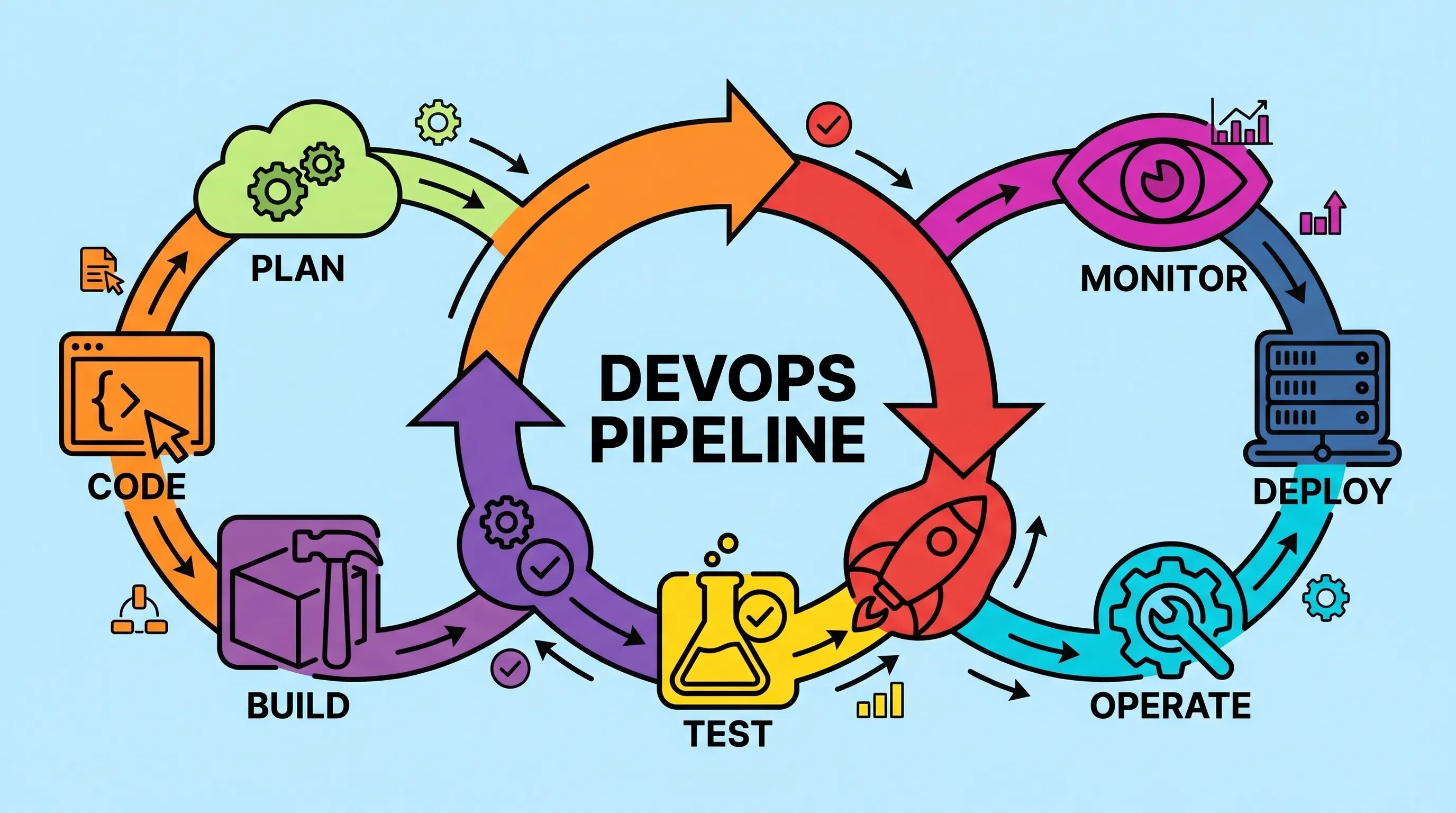
What Is a DevOps Pipeline? Stages, Tools, and How to Build One
Most teams don't fail at writing code. They fail at getting it to production reliably, quickly, and without someone staying late to babysit a deployment script. A well-constructed DevOps pipeline is the answer to that specific problem and once you've set one up properly, you'll wonder how you survived the manual version.

CI/CD vs DevOps: What's the Real Difference (And Why It Matters)
Most developers use CI/CD and DevOps interchangeably. They shouldn't. One is a philosophy, the other is a specific, automatable workflow inside that philosophy. Getting that distinction right changes how you build teams, choose tools, and debug failed deployments.