
The DevOps Definition Nobody Actually Explained to You (Until Now)

DevOps gets defined a dozen different ways depending on who's explaining it a culture, a toolchain, a job title. Here's the version that actually held up once I started shipping to production on my own.
The DevOps Definition, at its most stripped-down, is a set of practices, tools, and a cultural philosophy that automates and integrates the processes between software development and IT operations teams. That's the textbook version. The more useful version: it's how developers actually operate, especially when you're on a small team wearing every hat in the building.
What DevOps Actually Means (And Why the Name Makes Sense)
The term is literally "Dev" plus "Ops" development and operations. That organizational culture shift, where two historically separate teams start sharing responsibility for a product's entire lifecycle, is where the concept was born.
For a long time, companies had developers who wrote code, and a completely separate IT operations team that deployed and maintained it. Those two groups often barely talked. Developers would throw code over a metaphorical wall; ops would catch it, struggle with it, and blame dev when something broke in production. Dev would blame ops back. Nobody won.
DevOps is the answer to that dysfunction. Not just a toolset, but an actual change in how teams are structured and how they communicate. The agile methodology influence is obvious here: short feedback cycles, cross-functional collaboration, continuous improvement. DevOps takes those ideas and extends them all the way into deployment and operations, not just the development sprint.
It also has close ties to site reliability engineering, which is essentially what happens when you apply software engineering principles to operations problems at scale. And as security got pulled into the picture, DevSecOps practices emerged, making security a built-in part of the pipeline rather than a last-minute audit.
If you work at a startup or a small shop and you already write code, test it, ship it, monitor it, and field bug reports from users, you are doing DevOps. You just might not have had a name for it.
The Lifecycle: An Infinity Loop, Not a Checklist
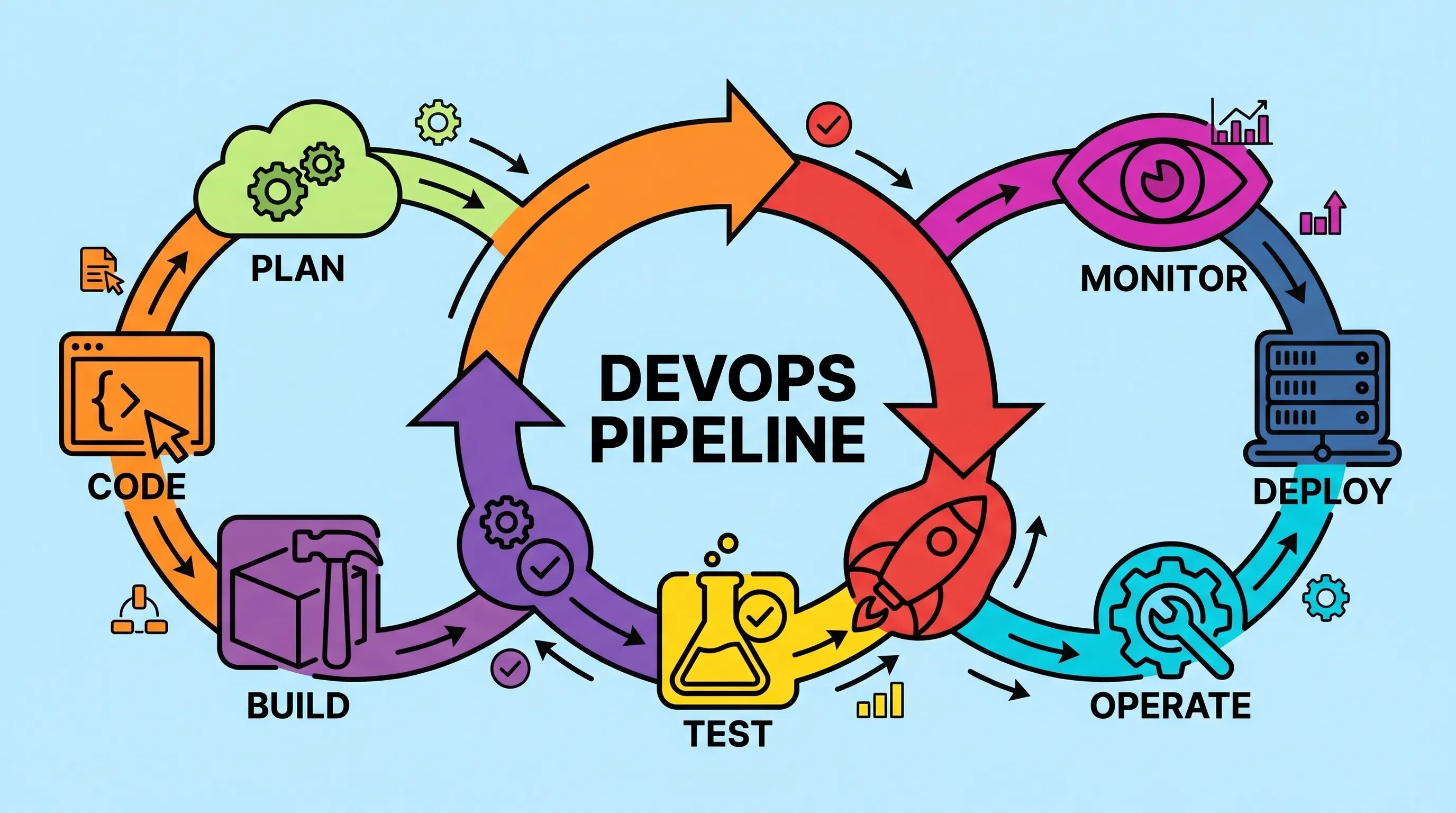
The DevOps lifecycle is usually drawn as an infinity symbol, and that shape is actually meaningful. It does not end. The stages are: Plan, Code, Build, Test, Release, Deploy, Operate, Monitor — and then feedback loops you right back to Plan.
Most diagrams start at Plan, which is where you open Jira, Asana, or a similar tool and figure out what you're actually building. Feature requests, bug fixes, performance improvements — all of it gets documented and prioritized here. But the reason it's drawn as a loop rather than a line is that input keeps arriving from the right side of the diagram, from users, from monitoring data, from the operations team. That feedback constantly informs the next planning cycle.
This is the devops lifecycle explained for beginners in the most practical terms: nothing is ever "done." Every deployment generates data, every user interaction surfaces something, and that something feeds back into the next sprint. It sounds exhausting, but it's actually healthier than the alternative, which is shipping something and then walking away and hoping it works.
The feedback stage at the end is not a formality. User behavior data, error logs, performance metrics, code quality reports from tools like SonarQube — all of that has to get back to the development team in a usable form. That handoff from operations back to development is the whole point of the loop.
Code, Build, and Why Testing Happens Twice
This is where a lot of people get confused, and it's worth being precise about.
The Code phase is not just writing features. It's also where you write your tests — unit tests, integration tests, whatever your coverage strategy demands. Version control is foundational here; you're committing to GitHub or GitLab, working in feature branches, submitting pull requests, and going through the code review process before anything gets merged. If you break something, you can revert. That safety net is the whole point of version control.
Shift-left testing as a concept lives here too. The idea is to catch defects as early as possible, as close to the point of writing the code as you can. Waiting until a dedicated QA cycle to discover a fundamental logic error is expensive. Finding it during a code review or an automated unit test is cheap.
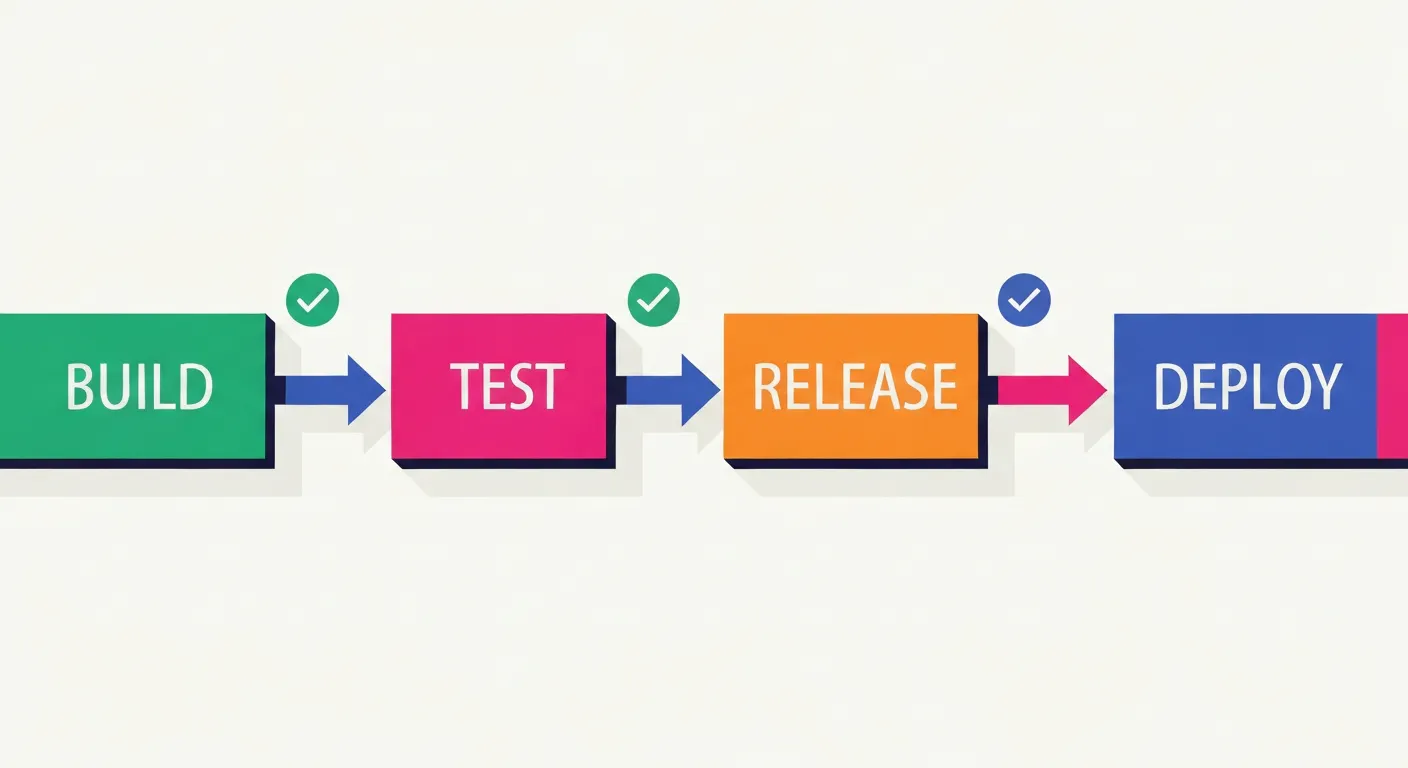
After code comes the Build phase. This is where tools like Maven and Gradle do their job: compiling code, resolving dependencies, packaging everything for deployment. Automated tests run here too, but these are the tests you already wrote. The build process executes them to confirm the code compiles and passes before it goes anywhere.
Then comes the Test phase — and this is different. This is where the quality assurance testing team gets the application running on a dedicated test server and tries to break it. They act like real users. They go through every workflow. They find the weird edge case where clicking a button in a specific sequence produces unexpected behavior. They're not reviewing code; they're exercising the running application.
Think of it as two rings of defense. The automated tests in the build phase catch mechanical failures. The QA team catches experiential failures, the things that technically work but don't behave the way a real user would expect.
The CI/CD Pipeline Is the Backbone of All of This
Continuous integration and continuous delivery are what make this lifecycle work without constant manual intervention — every merge triggers an automated build, test, and deploy sequence targeting a different environment (dev, QA, release, production).
I go through the full pipeline stages, tooling comparisons (Jenkins, Azure DevOps, GitLab CI, TeamCity), and infrastructure-as-code in detail in What Is a DevOps Pipeline? Stages, Tools, and How to Build One.
Infrastructure as code is another layer that fits here. Rather than manually configuring servers for each environment, you define the infrastructure in code, version control it, and let the pipeline provision it. Same discipline, extended to the servers themselves.
Microservices architecture adds complexity to this picture: instead of one pipeline for one monolith, you might have dozens of pipelines for dozens of services, each with their own build, test, and deployment cycle. Coordination becomes its own discipline. Load balancing across those services, making sure traffic routes correctly after a deployment, falls to the operations side.
What the Operations Side Actually Does
Once code hits production, the development team's primary job is done — at least for that feature. The IT operations team takes over, and their job is keeping everything running.
That means handling outages when they happen, which they will. It means monitoring and logging — watching server performance, resource usage, error rates, and user behavior patterns to catch problems before they become incidents. It means managing load balancing and resource allocation so the application stays responsive under traffic spikes.
But it's not purely reactive. A good operations team analyzes behavior data and surfaces patterns: which workflows users drop off from, which API calls are slow, which errors are appearing in the logs at low frequency but increasing over time. That analysis becomes the feedback that goes back to the development team. It's operational feedback turned into planning input.
The monitoring and logging discipline here is specific: you're not just watching for the system to go down. You're watching for degradation, for anomalies, for signals that something is about to go wrong. That data, combined with direct user feedback, closes the loop and starts the cycle over.
This is also where development and operations teams have to actually collaborate rather than work in separate silos. When an outage is caused by a bad deployment, the ops team needs the dev team involved in diagnosis. When a performance problem is architectural rather than operational, ops needs dev to understand the root cause. The handoff is not a wall; it's a baton pass where both teams are still on the track.

What a DevOps Engineer Does vs. a Software Engineer
The DevOps engineer vs. software engineer differences come down to scope and focus, not necessarily skill level.
A software engineer's primary output is code. Features, bug fixes, test coverage. They think about the behavior of the application. A DevOps engineer's primary output is the system that software engineers use to ship and run their code. Pipelines, infrastructure, deployment automation, monitoring configuration. They think about the reliability and velocity of the entire delivery process.
In practice, the roles blur. A software engineer at a small company is usually doing DevOps work whether they know it or not — setting up GitHub Actions, configuring deployment scripts, writing Docker files. A DevOps engineer at a large company might write very little application code but maintain infrastructure as code that every development team depends on.
Senior DevOps engineers are increasingly close to site reliability engineering roles. The salary range reflects the breadth of the skill set; in the US, salary estimates vary by source PayScale puts the average around $115K, while Glassdoor reports a typical range of roughly $116K–$181K depending on experience and location, with senior and SRE-adjacent roles reaching higher still.
For a DevOps engineer jobs and salary guide with more detail on what these roles look like at different company sizes, that range is a starting point, but the actual number varies significantly by specialization and geography.
How to Start Learning This Without Getting Overwhelmed
How to learn DevOps step by step is actually a more tractable question than it seems. You do not need to master everything at once.
Start with version control. If you are not comfortable with Git, GitHub, and the pull request workflow, that comes first. Everything else assumes you understand branching, merging, and the code review process.
From there, pick one CI/CD tool and build a real pipeline with it. Not a tutorial pipeline — a pipeline for something you are actually working on. Jenkins is free and has a huge ecosystem but can feel dated. GitLab CI is tightly integrated if you're already using GitLab. Azure DevOps is worth knowing if you work in enterprise environments. TeamCity Pipelines is newer and has a cleaner interface for getting started quickly.
Once you have a working pipeline, add quality gates. SonarQube integrates with most CI tools and will report code quality issues automatically on each build. Gradle or Maven handle your build and test automation. That combination covers a significant portion of what most DevOps tools for testing and deployment actually do.
After that, infrastructure as code. Terraform and Ansible are the most common entry points. Docker is essential. Kubernetes comes after that, once you understand what problem it's solving.
A practical DevOps roadmap for someone starting out looks like: Git > CI/CD (pick one tool) > containerization (Docker) > monitoring basics > infrastructure as code. That is probably 12 to 18 months of focused learning if you're working through it alongside a real project.
For a closer look at where CI server tools fit into this learning path:
👉 Also read: CI Server Tools: What They Are and How to Choose One
The DevOps Roadmap on roadmap.sh is one of the better visual guides for understanding how all these skills connect. It's maintained by the community and updated regularly.
A devops tools list for beginners doesn't need to be long. Git, one CI/CD platform, Docker, and SonarQube will take you further than you expect.
Frequently Asked Questions
What is DevOps and how it works in simple terms?
DevOps is a way of working where the people who build software and the people who run it share responsibility across the entire lifecycle. Instead of developers handing off code to an operations team and hoping for the best, everyone stays involved from planning through deployment and monitoring. The mechanism that makes this practical is automation: CI/CD pipelines handle building, testing, and deploying code automatically, so the process is fast and repeatable without constant manual work.
What are DevOps tools used for, generally?
They handle different parts of the delivery pipeline. Version control tools (GitHub, GitLab) track code changes. Build tools (Maven, Gradle) compile and package code. CI/CD platforms (Jenkins, Azure DevOps, TeamCity Pipelines) automate the whole sequence. Code quality tools like SonarQube analyze your codebase for problems. Monitoring tools watch what's happening in production. Project management tools like Jira and Asana organize the work. None of them is special on its own; they work because they're connected.
How is a DevOps engineer different from a software engineer?
A software engineer writes the application. A DevOps engineer builds and maintains the system that gets the application built, tested, and shipped reliably. But honestly, in small teams the distinction is mostly academic — you end up doing both. The difference matters more at larger organizations where the pipeline itself is complex enough to be a full-time job.
Do you need to know how to code to work in DevOps?
Yes, to a meaningful degree. You don't need to write application features, but you will write shell scripts, configuration files, infrastructure-as-code definitions, and pipeline configurations. The more comfortable you are with code, the better you'll be at debugging why a build is failing or why an automated test is flaky. Starting from zero programming knowledge makes the learning curve significantly steeper.
Is DevOps just for big companies?
Not at all, and this is the most common misconception. A two-person team benefiting from automated tests, a CI pipeline that catches broken builds before deployment, and basic monitoring on their production server is doing DevOps. The tooling scales down fine. The cultural philosophy, which is about shared responsibility and fast feedback, actually fits small teams naturally. Big companies adopt it because they're trying to recover something small teams never lost.
Get CodeTips in your inbox
Free subscription for coding tutorials, best practices, and updates.
More from CodeTips

What Are DevOps Engineers, Really? Roles, Skills, and How to Become One
Software teams have been fighting the same war for decades: developers ship code, operations breaks it, developers fix it, operations tests it again. That cycle used to take weeks. DevOps exists because that pace became commercially unacceptable Netflix calculated that a single hour of downtime cost them roughly $200,000.

The Complete DevOps Roadmap: Go from Zero to Engineer in 10 Months
Ten to fourteen months. That's the honest timeline if you study three to five hours a day, don't skip Linux, and resist the urge to jump straight to Kubernetes because it sounds cool on LinkedIn. This DevOps Roadmap is the exact order I'd learn things in if I had to do it again, with real time budgets for each stage and the tools I'd actually install instead of the ones that just look good in a job description.

The Best CI Server Tools: Honest Picks for Every Dev Team
Picking the wrong CI Server Tools early in a project costs more than people expect — not just in migration time, but in the slow friction of a pipeline that fights your team instead of helping it. I have watched teams rebuild their entire automation setup six months in because they chose something that felt familiar rather than something that fit. This guide is built around what actually matters when you are comparing options: realistic trade-offs, honest limitations, and which tool fits which situation.
What Is a DevOps Pipeline? Stages, Tools, and How to Build One
Most teams don't fail at writing code. They fail at getting it to production reliably, quickly, and without someone staying late to babysit a deployment script. A well-constructed DevOps pipeline is the answer to that specific problem and once you've set one up properly, you'll wonder how you survived the manual version.

CI/CD vs DevOps: What's the Real Difference (And Why It Matters)
Most developers use CI/CD and DevOps interchangeably. They shouldn't. One is a philosophy, the other is a specific, automatable workflow inside that philosophy. Getting that distinction right changes how you build teams, choose tools, and debug failed deployments.
The 12 Best CI CD Tools for DevOps Teams (And How to Pick the Right One)
Most teams ship broken software not because they lack talent, but because they lack the right toolchain. The CI CD tools for DevOps covered here are the ones that have earned their place in real production environments, not just conference talks. This is not a random list of software. It is the actual stack that connects your version control system to running containers in production, with security, observability, and configuration management wired in between.