
The Complete DevOps Roadmap: Go from Zero to Engineer in 10 Months

Ten to fourteen months. That's the honest timeline if you study three to five hours a day, don't skip Linux, and resist the urge to jump straight to Kubernetes because it sounds cool on LinkedIn. This DevOps Roadmap is the exact order I'd learn things in if I had to do it again, with real time budgets for each stage and the tools I'd actually install instead of the ones that just look good in a job description.
I've watched people burn six months bouncing between Terraform tutorials and Kubernetes videos without ever learning how ssh keys work. Don't be that person. The stack has an order. Follow it.
Why The Order Actually Matters
Every layer here depends on the one below it. You can't debug a Kubernetes networking issue if you don't know what a subnet is. You can't write a decent Jenkins pipeline if you've never run a bash script by hand. You can't write Terraform for AWS if you've never clicked around AWS.
So when someone asks how to become a DevOps engineer from scratch, my answer is boring: start at the bottom. Linux, networking, Git, one scripting language, one cloud. Then containers. Then everything else. Skipping ahead feels productive for about two weeks and then you hit a wall you can't Google your way out of.
One more thing before the roadmap. The role of a DevOps engineer isn't "person who runs Terraform." It's the person who owns the path from a developer's laptop to production traffic, including the boring parts: secrets, permissions, on-call, cost. Keep that in mind while you learn. If a tutorial never mentions failure modes, it's teaching you the demo, not the job.
Weeks 1 to 3: Linux, Because Everything Runs On It
Start with bash on a real Linux machine. Not WSL for the first week, not a Docker container. A cheap Ubuntu VM on any cloud, or an old laptop reflashed. You need Linux command line proficiency to feel normal, not stressful.
What to actually cover:
- File system navigation, find, grep, awk, sed
- Permissions, ownership, chmod, chown, and why 777 is a red flag
- Processes, signals, ps, top, kill, systemctl
- Package management with apt or dnf
- Writing bash scripts with variables, loops, conditionals, and functions
Two to three weeks. If you finish faster than that, you skimmed. Go back and write a script that rotates log files or backs up a directory to S3. That's the level of comfort you need before moving on.
Weeks 4 and 5: Networking Without The Textbook
Networking is where most self-taught engineers have gaps. You don't need a CCNA. You do need a networking protocols overview solid enough that "the pod can't reach the service" doesn't paralyze you.
Cover the OSI and TCP/IP models, IP addressing and subnetting (actually do the CIDR math on paper), DNS, DHCP, and the difference between HTTP, HTTPS, FTP, and SSH. Then get hands-on with ping, traceroute, netstat, dig, and tcpdump. Wireshark is worth installing for an afternoon just to see what a TCP handshake actually looks like on the wire.
Firewalls and security groups matter more than they sound. Half the production incidents I've seen were somebody adding a rule that broke something three services away.
Week 6 or 7: Git, Properly This Time
You already know git commit. That's not what I mean. Learn version control workflows the way a team actually uses them: feature branches, pull requests, rebasing versus merging, resolving conflicts without panicking, and cleaning up history before pushing.
One to two weeks. Push a real project to GitHub, open a pull request against yourself, and review it like a stranger wrote it. The Pro Git book is free and better than most paid courses.
👉 Also read: What DevOps actually means once you strip the buzzwords
Weeks 8 to 13: Python, Not Because It's Trendy
Pick one language and go deep. I recommend Python because the automation ecosystem is enormous, boto3 for AWS is first-class, and Ansible modules are Python underneath. Ruby and Go are fine choices too, but if you're asking, use Python.
Four to six weeks. Cover:
- Syntax, lists, dicts, sets, tuples
- Modules, pip, virtual environments
- File I/O and error handling
- Writing CLI tools with argparse
- Making HTTP requests with requests
- A real automation script: something like "check every EC2 instance in a region and tag the ones missing an Owner tag"
Scripting is the connective tissue of this whole field. If your Python is weak, every other tool feels harder than it is.
Weeks 14 to 19: One Cloud, Learned Deeply
Pick one. I'd say AWS because the job market is largest and the docs are the most complete, but the cloud DevOps roadmap for beginners works the same on any provider once you understand the primitives. If your target employer runs on Microsoft, the Azure DevOps roadmap is essentially the same list with different names (VMs become Virtual Machines, S3 becomes Blob Storage, IAM becomes Entra ID).
Four to six weeks on cloud provider fundamentals. Learn to:
- Launch and SSH into an EC2 instance without a tutorial open
- Store objects in S3 and set a lifecycle policy
- Configure IAM users, groups, roles, and understand the difference
- Build a VPC with public and private subnets, an internet gateway, and a NAT gateway
- Set up a load balancer in front of two instances
Do this by clicking through the console first. Then do it again with the CLI. Do not touch Terraform yet. You need to know what you're automating before you automate it.
Weeks 20 to 23: Docker And What Containers Actually Are
Three to four weeks on containerization with Docker. The concept is simple: bundle an app and its dependencies into an image that runs the same on your laptop and in production. The details are where people slip.
Learn to write a Dockerfile that isn't 2GB. Multi-stage builds. .dockerignore. Tagging strategy. How layers cache and why order in a Dockerfile matters for build speed. Then Docker Compose for running a web app, a database, and a cache together on your laptop.
Container image management is its own skill: knowing when to rebuild versus retag, how to scan images for CVEs, and where to push them (ECR, GHCR, Docker Hub). Get in the habit early. It'll save you when you're debugging why production is running last Tuesday's build.
Weeks 24 to 27: Setting Up A CI/CD Pipeline That Actually Ships
This is where the job starts to feel like the job. A CI/CD pipeline setup is what turns "code on my machine" into "code in production" without a human copying files around.
Jenkins is the classic answer and still runs in a huge number of shops. GitHub Actions is what I'd reach for on greenfield work because the YAML lives with the code and there's nothing to host. GitLab CI, CircleCI, and Argo CD are all valid depending on your stack. If you're job hunting, learn Jenkins first, then whatever your target companies use.
Three to four weeks. Build:
- A pipeline that runs tests on every push
- A pipeline that builds a Docker image and pushes it to a registry on merge to main
- A pipeline that deploys that image to a staging environment
- Something that requires a manual approval before touching prod
The core CI/CD automation principles are always the same: fast feedback, reproducible builds, no manual steps between merge and deploy. Tools change. Principles don't.
👉 Also read: How to design a CI/CD pipeline from commit to production
Weeks 28 to 33: Kubernetes Orchestration Basics Without The Cult
Four to six weeks. Kubernetes is huge and most tutorials skip the parts that actually matter in production.
Start with the architecture: control plane, nodes, kubelet, API server, etcd. Then the workload primitives: Pods, Deployments, Services, ConfigMaps, Secrets, Ingress. Then how networking actually works inside a cluster, which is the single most common source of "why isn't this working" questions.
Use minikube or kind locally, but also run a real cluster somewhere. EKS, GKE, or AKS. Managed clusters skip the boring parts and let you focus on the workload side.
Scaling containerized applications is what Kubernetes is actually good at, so learn Horizontal Pod Autoscaler, resource requests and limits, and readiness probes properly. A pod without a readiness probe is a rollout waiting to break.
Helm comes in here too. It's just a templating layer for YAML, but it's what most teams use to package apps.
Weeks 34 to 37: Nginx, Reverse Proxies, And The Boring Layer That Runs The Internet
Three to four weeks on the networking services layer. Nginx is the default answer for reverse proxy configuration, TLS termination, and load balancing at the edge of your stack. HAProxy and Envoy are the other names you'll hear.
Learn to configure Nginx as:
- A reverse proxy in front of a backend service
- A load balancer across multiple upstreams
- A TLS terminator with Let's Encrypt
- A cache for static assets
Understanding what a reverse proxy does makes Kubernetes Ingress make sense. It's the same concept, just wrapped in more YAML.
Weeks 38 to 41: Ansible And Why Configuration Management Still Matters
Ansible is my pick among configuration management tools. Puppet and Chef are still around but declining. Ansible is agentless, uses YAML, and has a low learning curve.
Three to four weeks. Write playbooks that:
- Install and configure Nginx on a fresh server
- Create users and manage SSH keys
- Deploy an application from a Git repo
- Manage secrets and permissions management with ansible-vault
The point of configuration management isn't "install this package." It's configuration drift prevention: making sure the server you provisioned six months ago still looks like the one you provisioned yesterday. That guarantee is what lets you sleep on-call.
Weeks 42 to 45: Terraform And The Rest Of The Infrastructure As Code Tools
Three to four weeks. Terraform is the most widely known of the infrastructure as code tools, and once you understand it, Pulumi and CloudFormation are variations on a theme.
Cover:
- Providers, resources, data sources
- Variables, outputs, and locals
- Modules and how to structure a repo
- Remote state in S3 with DynamoDB locking
- Workspaces and how to handle multiple environments
The infrastructure provisioning workflow to internalize is: write config, plan, review the diff carefully, apply, commit. Anyone who runs apply without reading the plan will eventually delete a production database. I have watched it happen.
Ansible and Terraform aren't competitors. Terraform provisions the servers. Ansible configures what runs on them. Some teams use only one. Most use both.

Weeks 46 to 49: Monitoring And Logging In DevOps, Or How You Find Out Things Are Broken
Three to four weeks. Prometheus for metrics, Grafana for dashboards, and either the ELK stack or Loki for logs. That's the default open-source combo and it will teach you everything you need to understand paid tools like Datadog or New Relic.
Learn to:
- Instrument an app with Prometheus metrics
- Write PromQL queries that aren't garbage
- Build a Grafana dashboard that a stressed on-call engineer at 3am can actually read
- Set up alerts with Alertmanager and route them somewhere useful
- Ship logs to a central place and search them
Application performance monitoring is a real skill. Most dashboards I've inherited are useless because they show 40 graphs and none of them answer "is the app broken." Aim for four graphs that answer that question.
👉 Also read: A practical comparison of CI/CD tools worth knowing
The Cultural Part Nobody Wants To Talk About
DevOps culture and collaboration is the actual differentiator between someone who runs the tools and someone who's worth hiring. The tools are commoditized. What isn't commoditized is the person who talks to developers before changing the build system, writes a runbook their coworker can follow, and pushes back when a deadline would require skipping tests.
If you spend all 14 months alone in a terminal, you'll be a decent operator and a bad teammate. Contribute to an open source project. Review someone else's Terraform PR. Ask a developer at your job how they'd like deploys to feel. That's the part the roadmap can't teach you.
Time Frames, Honestly
The full path here is a DevOps engineer roadmap with time frame estimates that assume 15 to 25 hours a week. If you can only do five hours a week, double every number. If you already know Linux and Git, cut two months off the front.
The most common question I get is how long does it take to learn DevOps to the point of being hireable. Honestly, six to eight months of focused work is usually enough for a junior role if you have a portfolio: a GitHub with real Terraform, a home-lab Kubernetes cluster you can talk about, a CI/CD pipeline you built end to end. The 10 to 14 month number gets you past "junior" into "actually useful on day one."
Two resources I'd bookmark. The roadmap.sh developer-roadmap GitHub repo has an interactive DevOps track that mirrors most of the above, and the CNCF landscape page is worth scanning quarterly to see which projects are surviving. I'd skip most "DevOps roadmap PDF free download" links you'll find on random sites. They're usually the same list in worse formatting, and half of them recommend tools nobody uses anymore.
What The Best Tools To Learn For DevOps Actually Are
If I had to pick the shortest list that gets you employable, it's this: Linux, Git, Python, one cloud (AWS), Docker, Kubernetes, Terraform, Ansible, Jenkins or GitHub Actions, Prometheus, Grafana, Nginx. Twelve tools. That's it. Every other buzzword is a variation, a competitor, or a layer on top.
Don't collect tools. Collect problems you've solved with them. "I set up Prometheus" is worth nothing on a resume. "I cut our alert noise from 200 pages a week to about 20 by rewriting recording rules" is worth an interview.
One Honest Caveat
I've seen this exact learning path work for people I've mentored, and I've seen it fail. It fails when someone treats it as a checklist instead of a skill tree, or when they finish Kubernetes without ever having deployed a real app to it. Every stage should end with something that runs. If you can't demo it, you don't know it yet. Move on when you can, not when the calendar says so.
Pick the first three weeks, open a terminal, and start.
Get CodeTips in your inbox
Free subscription for coding tutorials, best practices, and updates.
More from CodeTips

What Are DevOps Engineers, Really? Roles, Skills, and How to Become One
Software teams have been fighting the same war for decades: developers ship code, operations breaks it, developers fix it, operations tests it again. That cycle used to take weeks. DevOps exists because that pace became commercially unacceptable Netflix calculated that a single hour of downtime cost them roughly $200,000.

The DevOps Definition Nobody Actually Explained to You (Until Now)
DevOps gets defined a dozen different ways depending on who's explaining it a culture, a toolchain, a job title. Here's the version that actually held up once I started shipping to production on my own.

The Best CI Server Tools: Honest Picks for Every Dev Team
Picking the wrong CI Server Tools early in a project costs more than people expect — not just in migration time, but in the slow friction of a pipeline that fights your team instead of helping it. I have watched teams rebuild their entire automation setup six months in because they chose something that felt familiar rather than something that fit. This guide is built around what actually matters when you are comparing options: realistic trade-offs, honest limitations, and which tool fits which situation.
What Is a DevOps Pipeline? Stages, Tools, and How to Build One
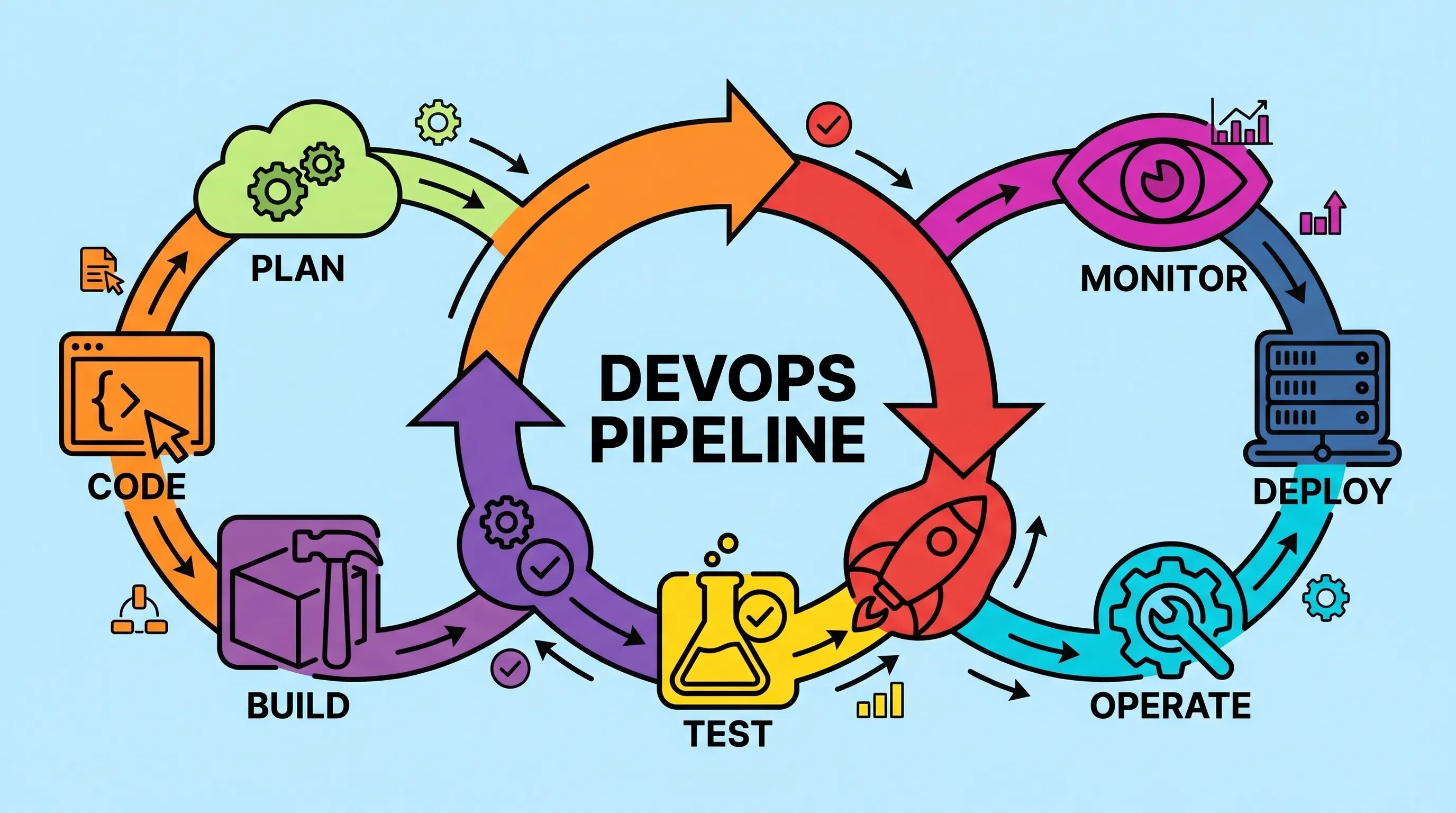
Most teams don't fail at writing code. They fail at getting it to production reliably, quickly, and without someone staying late to babysit a deployment script. A well-constructed DevOps pipeline is the answer to that specific problem and once you've set one up properly, you'll wonder how you survived the manual version.

CI/CD vs DevOps: What's the Real Difference (And Why It Matters)
Most developers use CI/CD and DevOps interchangeably. They shouldn't. One is a philosophy, the other is a specific, automatable workflow inside that philosophy. Getting that distinction right changes how you build teams, choose tools, and debug failed deployments.
The 12 Best CI CD Tools for DevOps Teams (And How to Pick the Right One)
Most teams ship broken software not because they lack talent, but because they lack the right toolchain. The CI CD tools for DevOps covered here are the ones that have earned their place in real production environments, not just conference talks. This is not a random list of software. It is the actual stack that connects your version control system to running containers in production, with security, observability, and configuration management wired in between.