
CI/CD vs DevOps: What's the Real Difference (And Why It Matters)

Most developers use CI/CD and DevOps interchangeably. They shouldn't. One is a philosophy, the other is a specific, automatable workflow inside that philosophy. Getting that distinction right changes how you build teams, choose tools, and debug failed deployments.
Table of Contents
- The Difference Between CI/CD vs DevOps
- What DevOps Actually Is
- How a CI/CD Pipeline Works in Practice
- What Happens When You Skip Continuous Integration
- The Tools That Power This Workflow
- When the Pipeline Fails (and Why That's the Point)
- Frequently Asked Questions
The Difference Between CI/CD vs DevOps
DevOps is the broader idea. CI/CD is a specific mechanism inside it.
DevOps started as a cultural shift: get developers and operations teams talking to each other, sharing responsibility for the software delivery lifecycle, and shipping in smaller, more frequent chunks instead of giant quarterly releases. The culture part is genuinely hard to implement and requires organizational buy-in.
Continuous integration and delivery are the technical expression of that culture. They are the practices that make frequent shipping possible. You can have DevOps without a CI/CD pipeline, but you won't have it for long before the process breaks down under human error and manual bottlenecks.
The simplest way to think about it: DevOps is the "what" and "why," and CI/CD is a big chunk of the "how."
One more distinction worth making here: continuous delivery and continuous deployment are not the same thing. Continuous delivery means every change is automatically tested and packaged, ready for release on demand. Continuous deployment means every passing change is automatically pushed all the way to production. Most teams stop at delivery and keep a manual approval gate before production.
What DevOps Actually Is
DevOps emerged from a pretty specific frustration. Development teams would write code in isolation for months, then throw it over the wall to operations to deploy. Operations would scramble to make it work in an environment they didn't fully understand. Incidents would follow. Blame would circulate.
The fix wasn't a tool. It was restructuring how development and operations collaborate throughout the entire process, not just at handoff.
Some people conflate DevOps with Agile, but they're not the same thing either. Agile focuses on iterative product development and team rituals like sprints and standups. DevOps focuses on the pipeline from code to production. The two methodologies complement each other, but a team can run Agile sprints while still doing giant, painful monthly deployments. That's not DevOps.
A useful comparison: DevOps vs Agile vs Waterfall is basically a spectrum of how often you ship. Waterfall ships once, Agile ships every sprint, DevOps-mature teams ship many times a day. The more frequently you ship, the smaller each change, and the smaller each change, the easier it is to find and fix problems.
How a CI/CD Pipeline Works in Practice
Take a Node.js app as a concrete example. Without any automation, shipping it means a developer runs npm test, then npm run build, then some deployment command, by hand, every single time. Someone eventually skips a step when they're in a hurry. Something breaks in production. Everyone loses an afternoon.
A CI/CD pipeline automates exactly that sequence. Here's what those stages look like end to end:
- A developer pushes a commit to the shared code repository
- The push event triggers a build automatically (no one has to start it manually)
- The build server pulls the code and installs dependencies
- The automated testing pipeline runs every test in the suite
- If tests pass, the build artifact is assembled
- The artifact gets deployed to the target environment
In GitHub Actions, the configuration for this lives in a YAML file in your repository. You define which events trigger the workflow (a push to main, a pull request, a tag), which runner to use (a cloud-hosted Linux container, for instance), and then each step in sequence. The whole thing is version-controlled alongside the code it ships.
name: CI/CD Pipeline

on:
  push:
    branches: [main]

jobs:
  build-test-deploy:
    runs-on: ubuntu-latest
    steps:
      - uses: actions/checkout@v3
      - uses: actions/setup-node@v3
        with:
          node-version: '18'
      - run: npm install
      - run: npm test
      - run: npm run build
      - run: npm run deploy
This is a minimal CI/CD pipeline example for a Node.js project. The CI/CD environment setup here is cloud-based: GitHub spins up a fresh Linux container, runs every step, and tears it down. You don't manage any servers.
Other tools take similar approaches. Jenkins gives you more control and is self-hosted. GitLab CI is built into GitLab's platform, so the configuration and repository live in the same place. CircleCI and AWS CodePipeline are popular for cloud-native stacks. Azure DevOps bundles pipeline tooling with project management features. For teams that need more control over the deployment half specifically, Octopus Deploy handles complex multi-environment rollouts well. Feature flagging tools like LaunchDarkly can layer on top of any of these to let you deploy code without exposing features to users.
👉 Also read: CI/CD Tools for DevOps: A Practical Comparison
What Happens When You Skip Continuous Integration
The classic failure mode has a name: merge hell. Here's how it actually plays out.
Mary spends three months building a new API. Jane spends those same three months building a new UI. They're both working on long-lived feature branches, each drifting further from the shared main branch with every commit. When it finally comes time to merge, their code doesn't fit together. The build fails. The conflicts aren't just syntax problems, they're architectural assumptions that have diverged so far that neither developer fully understands the other's code anymore.
Resolving merge conflicts at that scale is expensive in time, morale, and sometimes functionality. Teams frequently ship degraded versions of features just to get something out the door.
Continuous integration prevents this by raising the frequency of code integration to at least daily, and often much more. The key practice is committing small changes to the main branch frequently, using a shared repository that everyone works against. Merge conflicts still happen, but they're small enough to resolve in minutes rather than days.
The rule of thumb: if integrating your changes takes more than an hour, your branches have lived too long.
The Tools That Power CI/CD
CI/CD usually runs through tools like GitHub Actions, Jenkins, GitLab CI, CircleCI, AWS CodePipeline, or Azure DevOps.
But the tool is not the main point. DevOps is about the culture and process. CI/CD tools only help automate that process.
For a full comparison of CI/CD tools, read my guide: The 12 Best CI/CD Tools for DevOps Teams.
When the Pipeline Fails (and Why That's the Point)
A failing pipeline is working correctly.
The whole point of pipeline failure detection is that a broken build is caught in the CI environment, not in production. When a step fails, the workflow stops. The bad artifact never gets deployed. Developers get a notification immediately rather than finding out from a customer three days later.
This is the concrete payoff: you get two things from a working CI/CD setup. First, developer velocity goes up because repetitive manual work gets automated. Developers push code and don't have to babysit a deploy script. Second, code quality improves because small problems surface early. A failing test on a 20-line change is easy to debug. The same failure buried inside a 3,000-line merge is not.
Those two outcomes compound over time. Teams that ship frequently develop better feedback loops. They fix bugs while the context is fresh. They learn what breaks things and adjust their practices. Teams that ship quarterly accumulate technical debt, brittle processes, and a general fear of deployment.
One important CI/CD best practice: treat your pipeline configuration as first-class code. Review it in pull requests. Keep it readable. The moment your YAML file becomes a 400-line mystery, maintaining it becomes as painful as the manual process it replaced.
Cloud-based CI/CD has made most of this accessible to teams that don't have dedicated infrastructure engineers. The barrier isn't setup anymore. It's discipline: committing frequently, keeping tests fast, and actually fixing failing builds before pushing anything else.
Frequently Asked Questions
What is CI/CD, exactly?
CI/CD stands for continuous integration and continuous delivery (or deployment). Continuous integration means developers merge code into a shared branch frequently, and each merge triggers an automated build and test run. Continuous delivery means the output of that process is always in a releasable state. Together, they replace a lot of manual, error-prone steps with an automated workflow that runs the same way every time.
How does DevOps vs CI/CD actually break down?
DevOps is the broader approach: a cultural and organizational shift where development and operations share ownership of the software delivery process. CI/CD is one of the technical practices that makes DevOps work in practice. You could say CI/CD is how DevOps ships code. Without the automation, the philosophy stays abstract.
Do I need to know a specific CI/CD tool to get started?
Not really. The concepts transfer across GitHub Actions, Jenkins, GitLab CI, and CircleCI without much friction. Pick whichever one your repository host supports natively. If your code is on GitHub, start with GitHub Actions. The YAML syntax differs between tools, but the mental model (trigger, job, steps, artifact) is the same everywhere.
What's a realistic CI/CD pipeline example for a small team?
A three-step pipeline covers most of what a small team needs: run tests, build the artifact, deploy to staging. The whole thing can be set up in an afternoon if your tests already run locally. The CI/CD pipeline on GitHub can be triggered by any push to main and will run in a cloud container without you managing any servers. Start simple, add complexity only when you have a specific reason to.
Is DevOps vs Agile vs Waterfall just about how often you ship?
Partly. Waterfall ships once at the end of a long cycle. Agile ships at the end of each sprint, usually every one to two weeks. DevOps-mature teams ship whenever a change is ready, which can be multiple times per day. But it's not just frequency. DevOps vs Agile methodology is also about who is responsible for operations. In Agile, developers hand off to ops. In DevOps, that line blurs or disappears entirely. Both can coexist, and many teams run Agile ceremonies inside a DevOps delivery model.
Get CodeTips in your inbox
Free subscription for coding tutorials, best practices, and updates.
More from CodeTips

What Are DevOps Engineers, Really? Roles, Skills, and How to Become One
Software teams have been fighting the same war for decades: developers ship code, operations breaks it, developers fix it, operations tests it again. That cycle used to take weeks. DevOps exists because that pace became commercially unacceptable Netflix calculated that a single hour of downtime cost them roughly $200,000.

The Complete DevOps Roadmap: Go from Zero to Engineer in 10 Months
Ten to fourteen months. That's the honest timeline if you study three to five hours a day, don't skip Linux, and resist the urge to jump straight to Kubernetes because it sounds cool on LinkedIn. This DevOps Roadmap is the exact order I'd learn things in if I had to do it again, with real time budgets for each stage and the tools I'd actually install instead of the ones that just look good in a job description.

The DevOps Definition Nobody Actually Explained to You (Until Now)
DevOps gets defined a dozen different ways depending on who's explaining it a culture, a toolchain, a job title. Here's the version that actually held up once I started shipping to production on my own.
The Best CI Server Tools: Honest Picks for Every Dev Team
Picking the wrong CI Server Tools early in a project costs more than people expect — not just in migration time, but in the slow friction of a pipeline that fights your team instead of helping it. I have watched teams rebuild their entire automation setup six months in because they chose something that felt familiar rather than something that fit. This guide is built around what actually matters when you are comparing options: realistic trade-offs, honest limitations, and which tool fits which situation.
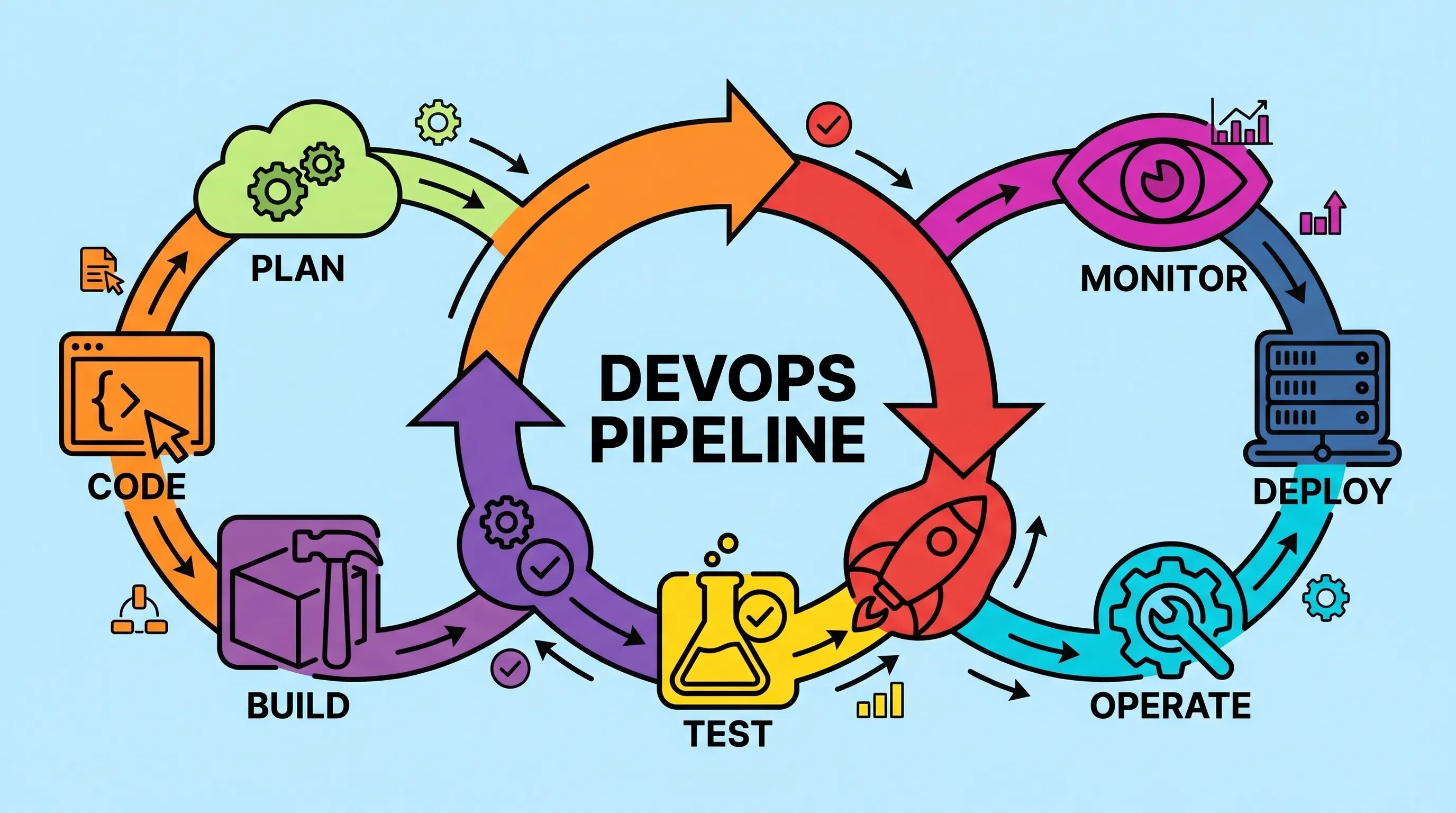
What Is a DevOps Pipeline? Stages, Tools, and How to Build One
Most teams don't fail at writing code. They fail at getting it to production reliably, quickly, and without someone staying late to babysit a deployment script. A well-constructed DevOps pipeline is the answer to that specific problem and once you've set one up properly, you'll wonder how you survived the manual version.
The 12 Best CI CD Tools for DevOps Teams (And How to Pick the Right One)
Most teams ship broken software not because they lack talent, but because they lack the right toolchain. The CI CD tools for DevOps covered here are the ones that have earned their place in real production environments, not just conference talks. This is not a random list of software. It is the actual stack that connects your version control system to running containers in production, with security, observability, and configuration management wired in between.