
Picking the wrong CI Server Tools early in a project costs more than people expect not just in migration time, but in the slow friction of a pipeline that fights your team instead of helping it. I have watched teams rebuild their entire automation setup six months in because they chose something that felt familiar rather than something that fit. This guide is built around what actually matters when you are comparing options: realistic trade-offs, honest limitations, and which tool fits which situation.
Table of Contents
- What a CI/CD Pipeline Actually Does
- The CI Server Tools Landscape Right Now
- Jenkins: Still Standing, but at a Cost
- GitHub Actions and GitLab CI: The Repo-Native Options
- The Commercial Middle Ground
- How to Choose the Right CI Server Tool for Your Team
- Frequently Asked Questions
What a CI/CD Pipeline Actually Does
Most "what is CI/CD pipeline in DevOps" explanations bury the practical point. Here is the short version: every time a developer pushes commits to a shared repository, the system automatically kicks off a build, runs tests, applies code quality gates, and (if you have configured continuous delivery) pushes artifacts toward production. That automated build process removes the "works on my machine" problem by running everything in a clean, consistent environment.
The continuous integration workflow is not just about catching bugs. It is about shrinking the feedback loop. A build that takes 40 minutes means a developer has already switched context twice before they see a failure. Most teams targeting healthy delivery speed aim for pipelines under 10 minutes for the critical path, using parallel test execution to get there.
Deployment automation at the end of the pipeline handles the CD side — staging promotions, environment-specific configs, rollback triggers. The pipeline setup is where most teams spend the most time, and it is also where the choice of tooling matters most.
The CI Server Tools Landscape Right Now
👉 Also read: Complete CI/CD Tools Guide for DevOps Teams
A useful CI/CD tools list for DevOps teams spans at least three categories: self-hosted open source, cloud-native SaaS, and enterprise platforms. Each has a different total cost of ownership profile, and conflating them is how teams end up paying for the wrong thing.
Open source, self-hosted: Jenkins, GitLab CI (self-managed), and a few smaller projects like Woodpecker CI. Free to license, but you pay in infrastructure and maintenance time. Running a self-hosted CI server means your team owns patching, storage, and uptime. For teams with strict data residency requirements or air-gapped environments, this is often non-negotiable.
Cloud-native SaaS: GitHub Actions, CircleCI, Travis CI, Bitbucket Pipelines. These run on someone else's infrastructure. The pipeline setup is faster because you skip server provisioning entirely. The cost model shifts to compute minutes, which can surprise you at scale.
Enterprise platforms: Azure DevOps, TeamCity, Bamboo, Harness. Built with enterprise CI readiness in mind — role-based access, audit logs, compliance hooks, dedicated support. The price reflects it. For organizations running hundreds of pipelines across dozens of teams, the governance features often justify the spend.
The open source vs commercial trade-off is real: open source tools give you flexibility and zero licensing cost, but someone on your team has to own them. Commercial tools give you reliability and support, but vendor lock-in is a genuine risk, especially when your pipeline definitions become deeply coupled to a proprietary YAML dialect.

Jenkins: Still Standing, but at a Cost
Jenkins is the most widely deployed CI server in the world by install count. Its plugin ecosystem is vast — over 1,800 plugins cover everything from Slack notifications for build failure alerts to Kubernetes-native executor scaling. That breadth is also its problem.
Every significant Jenkins setup I have seen eventually develops a plugin dependency hell situation. You update the Git plugin, it pulls a new version of a shared library, and two unrelated jobs start failing. The core is stable, but the ecosystem is not well-coordinated. Teams that run Jenkins well tend to pin plugin versions aggressively and treat upgrades like production deployments.
The Jenkinsfile (declarative pipeline syntax) is reasonably clean, and version control integration for pipeline definitions is mature. But the UI is showing its age, and initial pipeline configuration for new developers is not friendly. Jenkins is a strong choice if you need maximum flexibility, have infrastructure experience on the team, and are running in an environment where SaaS is not viable. It is a rough choice for a team that just wants builds to work.
// Simple Jenkinsfile declarative pipeline example
pipeline {
    agent any
    triggers { pollSCM('H/5 * * * *') }
    stages {
        stage('Build') {
            steps {
                sh 'mvn clean package -DskipTests'
            }
        }
        stage('Test') {
            steps {
                sh 'mvn test'
            }
        }
        stage('Deploy to Staging') {
            when { branch 'main' }
            steps {
                sh './deploy.sh staging'
            }
        }
    }
    post {
        failure {
            mail to: 'team@example.com', subject: 'Build Failed', body: "Check ${env.BUILD_URL}"
        }
    }
}
GitHub Actions and GitLab CI: The Repo-Native Options
These two have eaten a significant share of the market because they removed the setup barrier almost entirely. Your pipeline lives in the same repository as your code — a .github/workflows directory for Actions, a .gitlab-ci.yml file for GitLab CI. No separate server to configure, no webhook setup, no credentials wrangling between two different systems.
GitHub Actions is the right default for teams already on GitHub. The triggers system is genuinely flexible: you can fire workflows on push, pull request, schedule, repository dispatch, or manual approval. The marketplace has thousands of prebuilt actions that handle common tasks without custom scripting. The free tier offers 2,000 minutes per month on public repos and 500 MB of storage, which covers most small teams. Costs scale linearly beyond that based on compute minutes and the runner type (Linux, Windows, or macOS, each priced differently).
GitLab CI is arguably more opinionated and more complete. It ships as part of GitLab's integrated DevOps platform, so shared repository management, merge request controls, package registries, and security scanning all plug into the same system. The YAML syntax is stricter than Actions but easier to debug. GitLab's self-managed option also makes it the strongest open source CI CD tools for self-hosting if you want a full platform rather than just a build runner. The main limitation: if your code is on GitHub or Bitbucket, GitLab CI creates friction, not less.
One honest caveat on both: large monorepos with hundreds of services can hit compute cost ceilings fast. Parallel test execution helps, but you are paying per minute, and those minutes add up. I have seen mid-sized teams blow past $500/month on Actions without realizing it because no one set spending limits.
The Commercial Middle Ground
👉 Also read: How to Build a Solid DevOps Pipeline
CircleCI sits between "dead simple" and "fully flexible." Its orb system (reusable pipeline config packages) is the clearest implementation of what good pipeline modularity looks like. Setup is fast, the parallelism configuration is explicit, and the resource class system lets you right-size compute per job. The free plan is generous for individuals. Teams at growth-stage companies often land here because it scales better than Actions on complex pipelines without requiring self-hosting.
Azure DevOps is worth taking seriously if your organization runs on Microsoft infrastructure. The integration with Azure services is tight, and AWS CI/CD tools for cloud deployments have AWS CodePipeline as a native alternative, but Azure Pipelines is more mature as a standalone CI/CD system. The YAML pipeline format is verbose but well-documented. Licensing costs are tied to parallel jobs and user count — budget carefully.
TeamCity from JetBrains has one of the best UIs in the category. Configuration as code is supported, build chains between projects are first-class, and the free tier allows up to 100 build configurations and 3 build agents. Teams that use IntelliJ-based IDEs often find the toolchain integration unusually smooth. The downside: the server is Java-based and memory-hungry. A production TeamCity instance wants at least 4 GB of heap, and scaling agents requires infrastructure attention.
Bamboo (Atlassian) and Bitbucket Pipelines make sense together if you are already in the Atlassian ecosystem — Jira, Confluence, Bitbucket. Bamboo is self-hosted and integrates tightly with Jira deployments tracking. Bitbucket Pipelines is the cloud version, simpler and less powerful. Neither is a compelling choice outside the Atlassian stack.
Travis CI was once the default for open source projects. Its pricing changes and reliability issues over the past few years pushed most of that community toward GitHub Actions. It still works, but it is not where I would start a new project.
Harness is in a different category than the others. It is primarily a continuous delivery platform, not just a CI runner, with built-in canary deployments, feature flags, cloud cost optimization, and ML-driven rollback triggers. The pricing is enterprise-grade. For teams at the scale where deployment automation complexity justifies a dedicated platform, it is worth evaluating. For teams shipping one app to one environment, it is overkill.

How to Choose the Right CI Server Tool for Your Team
The most used CI/CD tools in DevOps are not necessarily the right ones for your context. Here is a practical way to cut through the noise.
Start with where your code lives. If it is on GitHub, GitHub Actions is the path of least resistance and almost always the right starting point. If it is on GitLab, GitLab CI is built in. Forcing a third-party tool onto a repo-native workflow creates extra credential management and webhook maintenance with limited upside.
Estimate your build volume honestly. Run a rough calculation: average build duration in minutes times daily builds times team size. If that number is small, the free tier of most SaaS tools covers you. If it is large, the per-minute cost model of cloud CI will matter, and self-hosting becomes economically competitive even after accounting for engineering time to maintain it.
Think about the DevOps toolchain integration you need. A team deploying to Kubernetes probably wants native container build support and RBAC on deployment jobs. A team shipping a mobile app needs macOS runners, which are expensive on every platform. A regulated industry team needs audit logs and approval gates at the pipeline level.
Do not optimize for plugins. This is where teams get seduced by Jenkins. The plugin count looks like capability. In practice, the plugins you actually use number fewer than 20, and most modern SaaS tools cover those natively. The plugin advantage matters at the edges, not in the common case.
The best free CI/CD tools for small teams are GitHub Actions (if you are on GitHub) and GitLab CI (if you are on GitLab or willing to self-host). Both are genuinely capable at zero cost for low-to-medium build volumes. CircleCI's free tier is a reasonable third option. For reference, the State of DevOps Report consistently shows that elite-performing teams invest in build infrastructure but are not necessarily spending more — they are spending more thoughtfully.
A tool switch mid-project is painful. The pipeline configurations, secrets management, caching strategies, and team habits all have to move together. Choosing deliberately the first time saves roughly two to three weeks of migration work later.
Frequently Asked Questions
What is CI/CD tools in plain terms?
CI/CD tools are the software that watches your code repository for changes and automatically builds, tests, and deploys your application when those changes arrive. The "CI" side runs tests and quality checks on every commit. The "CD" side pushes passing builds toward production, either automatically or with a manual approval step.
Which open source CI CD tools are best for self-hosting?
Jenkins and GitLab CI (self-managed) are the two most mature options. Jenkins gives you more flexibility through its plugin system; GitLab CI gives you a more complete platform (code hosting, pipelines, registries) in one install. If your team lacks dedicated infra experience, GitLab CI's integrated approach is usually easier to operate at a reasonable scale.
How do I choose the right CI server tool when I am just starting out?
Start with whatever is native to your code host. GitHub Actions if you are on GitHub, GitLab CI if you are on GitLab. Do not overthink it. You can always migrate once you have a clearer picture of your actual build requirements — but you probably will not need to.
Are AWS CI/CD tools a good fit for cloud deployments?
AWS CodePipeline and CodeBuild are functional, but they feel narrow outside the AWS ecosystem. If your entire stack lives in AWS and you want tight IAM integration without managing credentials externally, they are worth considering. But honestly, most teams running on AWS still use GitHub Actions or CircleCI and just grant those tools scoped IAM roles. The native AWS tooling is not compelling enough to replace a better-designed CI system.
What makes a CI pipeline "enterprise ready"?
Mostly not the features people think of first. The basics matter everywhere. What tips a tool into enterprise territory is: fine-grained RBAC so not everyone can push to production, audit logs that satisfy compliance reviews, high availability for the CI server itself, and SLA-backed support. TeamCity, Azure DevOps, and Harness check those boxes. Jenkins can too, but it requires significant custom configuration to get there.
Get CodeTips in your inbox
Free subscription for coding tutorials, best practices, and updates.
More from CodeTips

What Are DevOps Engineers, Really? Roles, Skills, and How to Become One
Software teams have been fighting the same war for decades: developers ship code, operations breaks it, developers fix it, operations tests it again. That cycle used to take weeks. DevOps exists because that pace became commercially unacceptable Netflix calculated that a single hour of downtime cost them roughly $200,000.


The Complete DevOps Roadmap: Go from Zero to Engineer in 10 Months
Ten to fourteen months. That's the honest timeline if you study three to five hours a day, don't skip Linux, and resist the urge to jump straight to Kubernetes because it sounds cool on LinkedIn. This DevOps Roadmap is the exact order I'd learn things in if I had to do it again, with real time budgets for each stage and the tools I'd actually install instead of the ones that just look good in a job description.

The DevOps Definition Nobody Actually Explained to You (Until Now)
DevOps gets defined a dozen different ways depending on who's explaining it a culture, a toolchain, a job title. Here's the version that actually held up once I started shipping to production on my own.
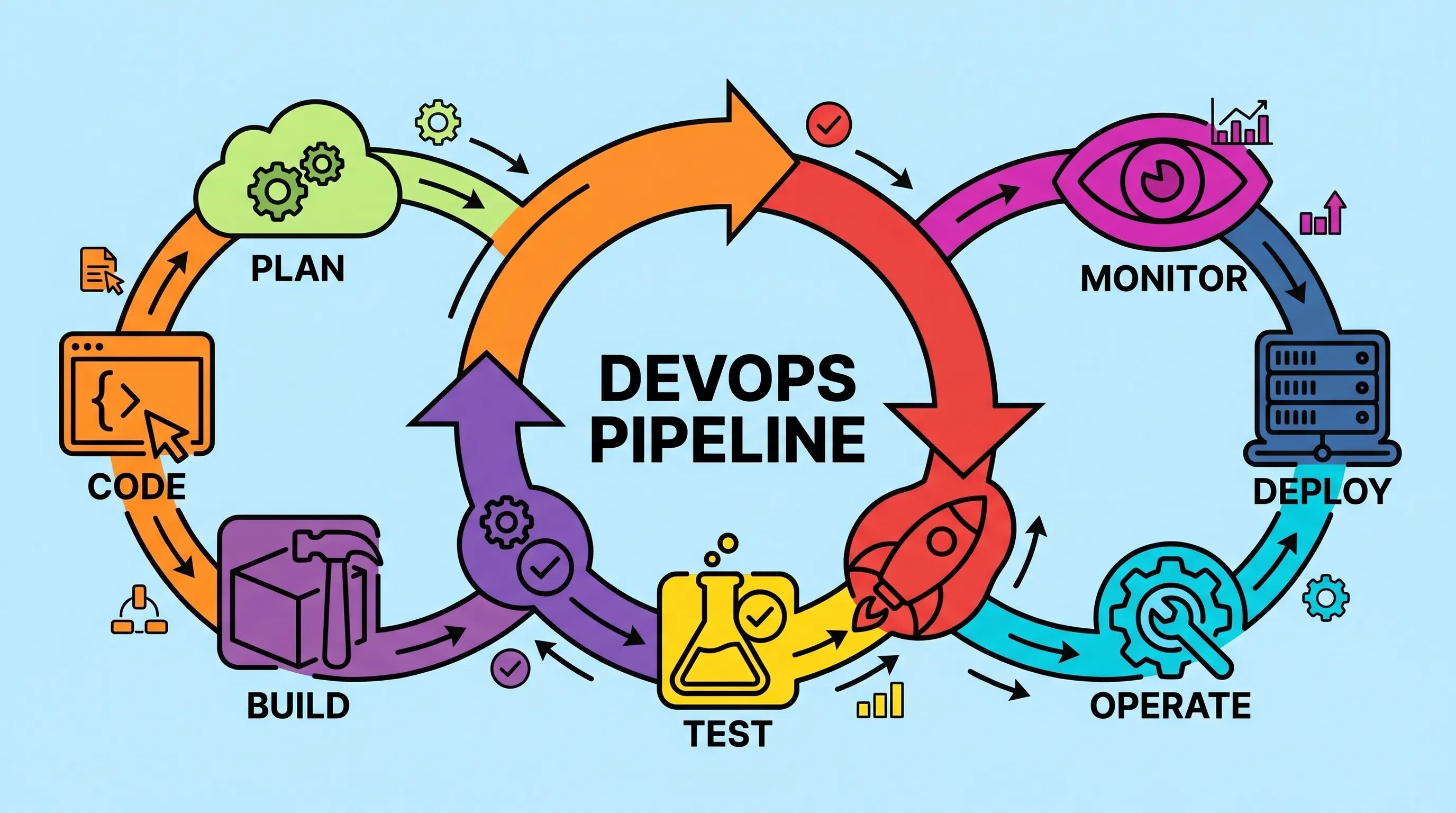
What Is a DevOps Pipeline? Stages, Tools, and How to Build One
Most teams don't fail at writing code. They fail at getting it to production reliably, quickly, and without someone staying late to babysit a deployment script. A well-constructed DevOps pipeline is the answer to that specific problem and once you've set one up properly, you'll wonder how you survived the manual version.

CI/CD vs DevOps: What's the Real Difference (And Why It Matters)
Most developers use CI/CD and DevOps interchangeably. They shouldn't. One is a philosophy, the other is a specific, automatable workflow inside that philosophy. Getting that distinction right changes how you build teams, choose tools, and debug failed deployments.
The 12 Best CI CD Tools for DevOps Teams (And How to Pick the Right One)
Most teams ship broken software not because they lack talent, but because they lack the right toolchain. The CI CD tools for DevOps covered here are the ones that have earned their place in real production environments, not just conference talks. This is not a random list of software. It is the actual stack that connects your version control system to running containers in production, with security, observability, and configuration management wired in between.